
Zooming in and out in your browser/Webcare is different depending on the different type of Browser you are using and sometimes the different mouse you are using.
We recommend using Internet Explorer  as your browser.
Zooming Using Internet Explorer
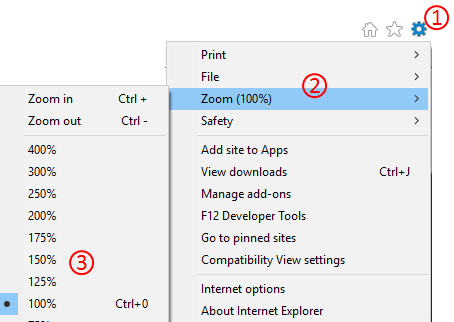
When using Internet Explorer click on the  in the top right of the toolbar, then click on zoom then select the size you want to zoom in or out.
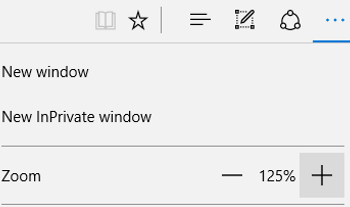
 In Microsoft Edge
Click on the  in the top right, then click on the plus or minus symbols to zoom in and out.
Or try this
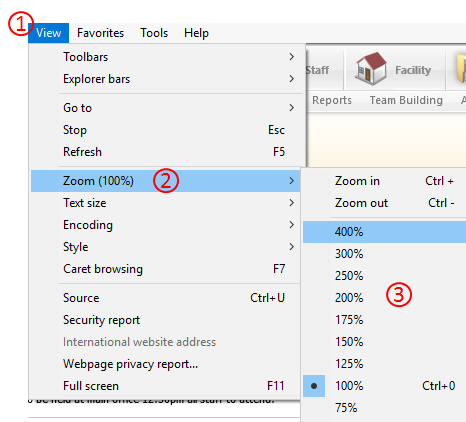
Or do this
To scroll in and out using your keyboard press Control  and then press the plus key to make it bigger or minus key to make it smaller
 .
.
Or you can use your mouse by keeping your finger on CRTL  and then moving the scrolling wheel on your mouse
 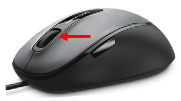 forward to zoom in and scroll out by scrolling backwards while having your finger on the CTRL.