
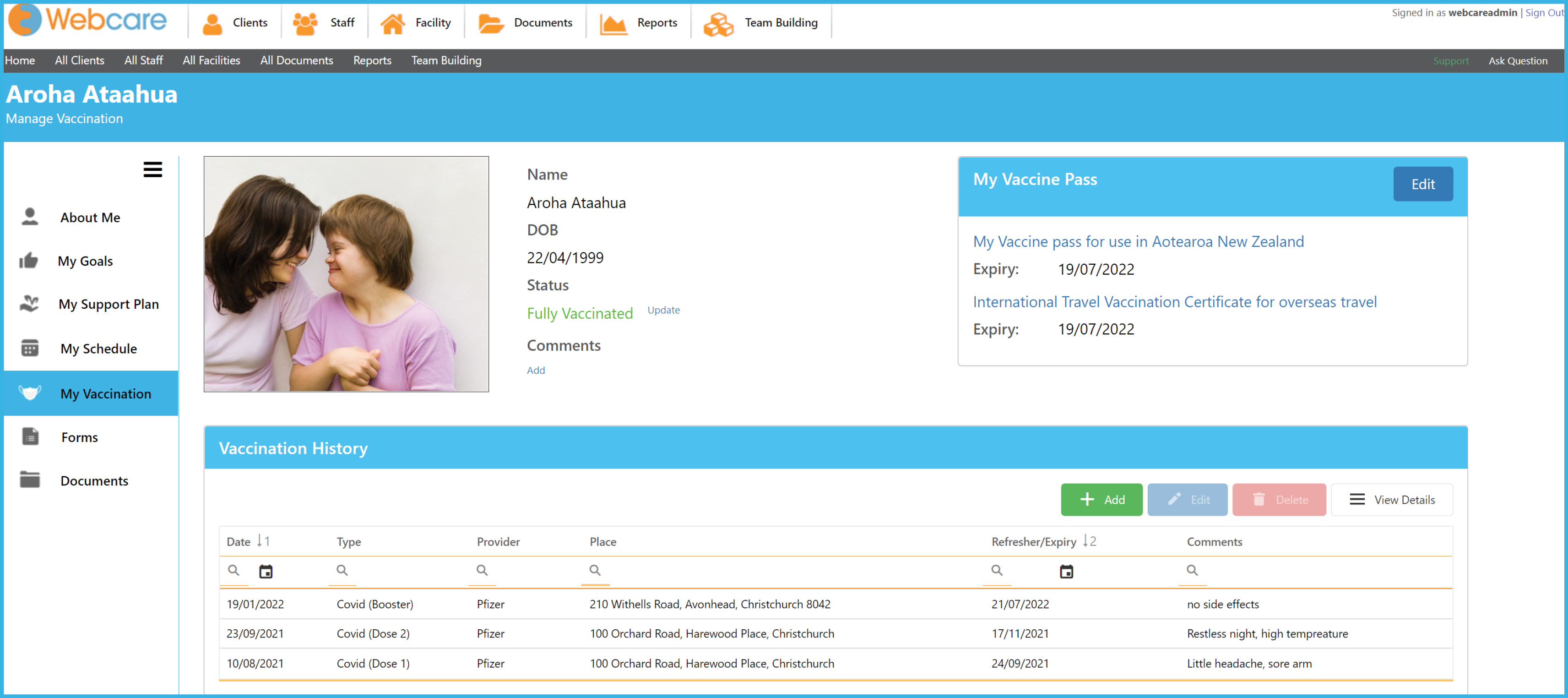
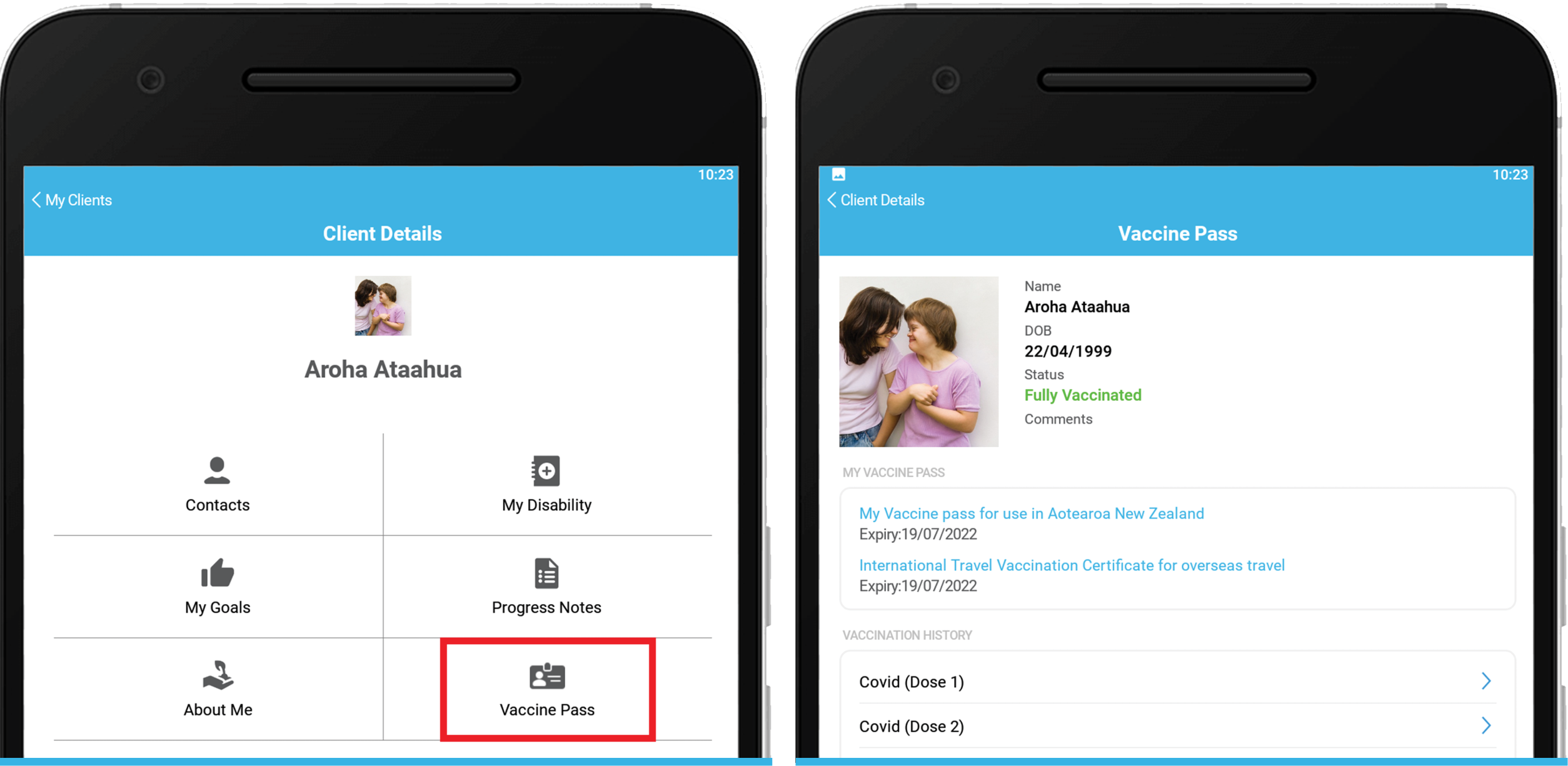
The My Vaccination page is found under Client Details within Webcare and the Mobile App.
Setting up the My Vaccination page
To set up a clients vaccination page, you will first need to upload their vaccine pass and/or vaccine information to the Webcare core system. It will then be available for viewing in read-only format on the Mobile App.
To upload the Vaccine pass and/or the International Travel Certificate you will need the PDF versions saved to your computer. You can find out how to get the PDF passes here.
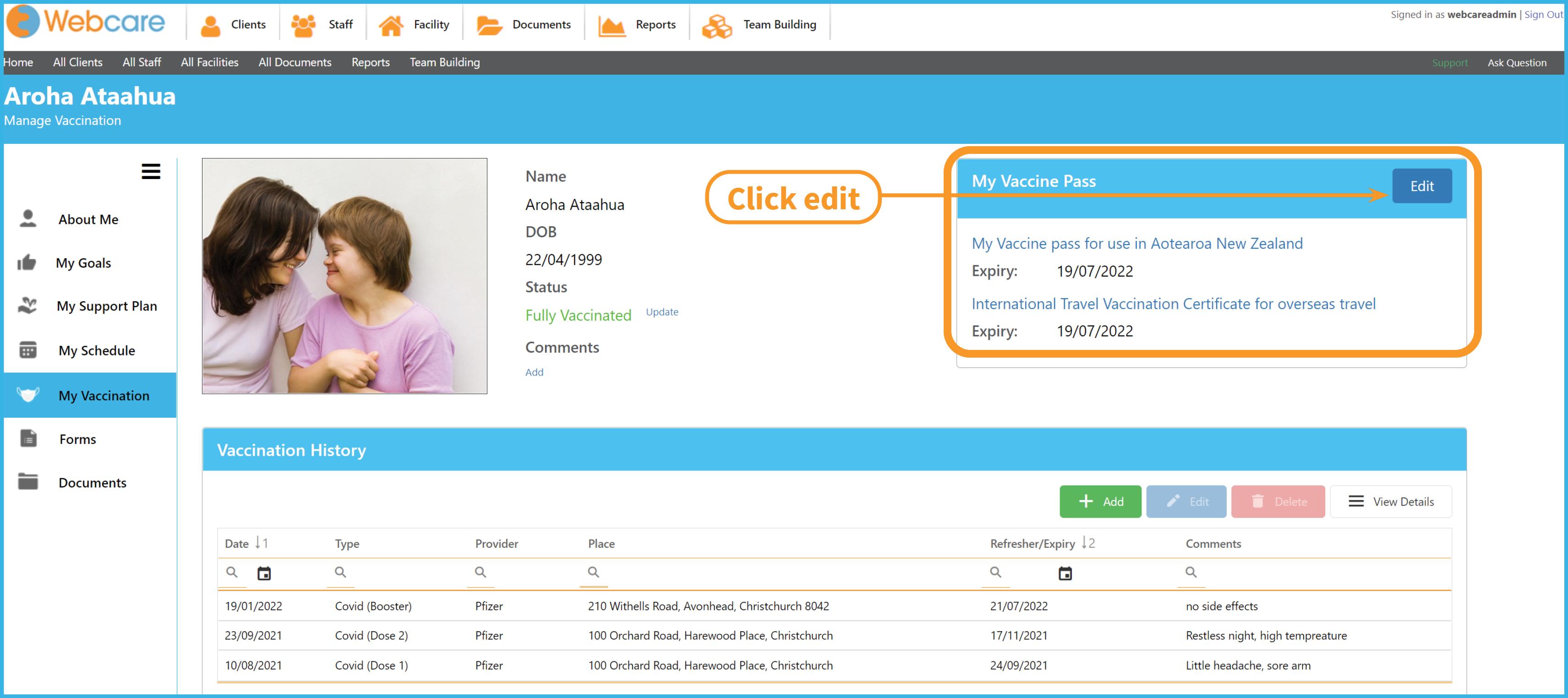
1| To upload the Vaccine Pass and International Travel Certificate on the My Vaccination page, start by clicking on 'Edit':
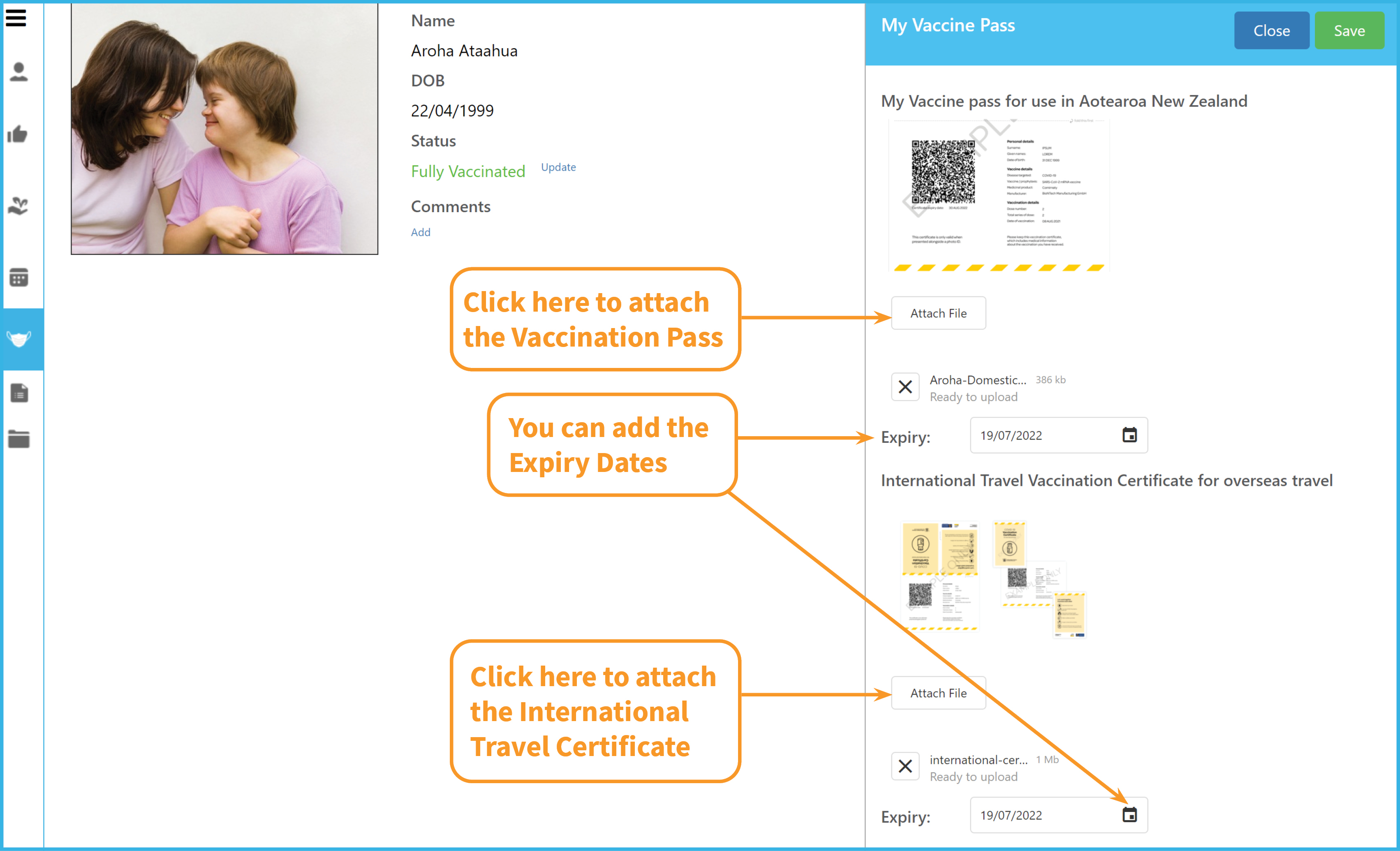
2| Select 'Attach' (see below), you can then choose the PDF file from your computer to be uploaded.
You can also add the expiry date, this will give you the ability to produce a report on the data. (e.g who needs to update their vaccine passes.)
If you uploaded the wrong file, simply select the 'X' next to the file name and redo step 2.
Click 'Save' in the top right hand corner when finished.
3| To add the clients Vaccination History, click '+Add':
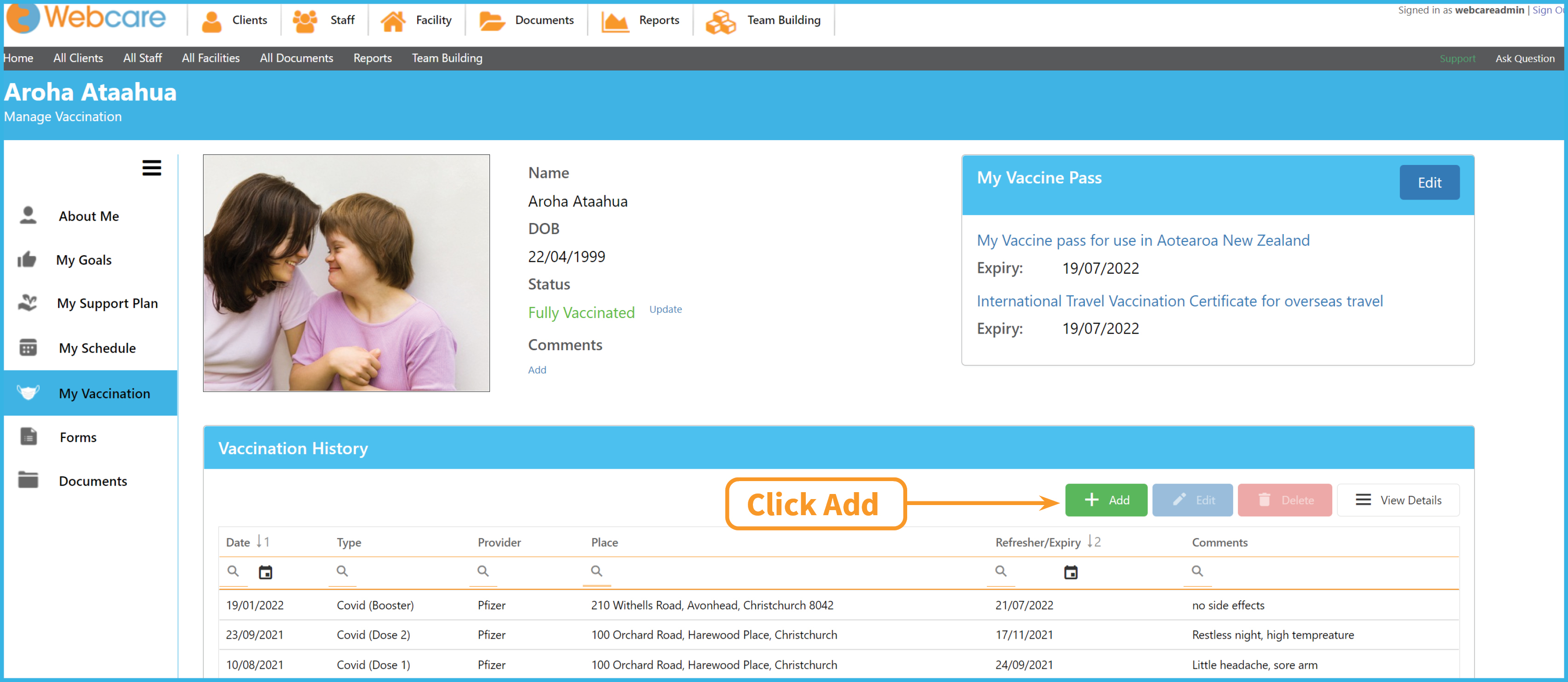
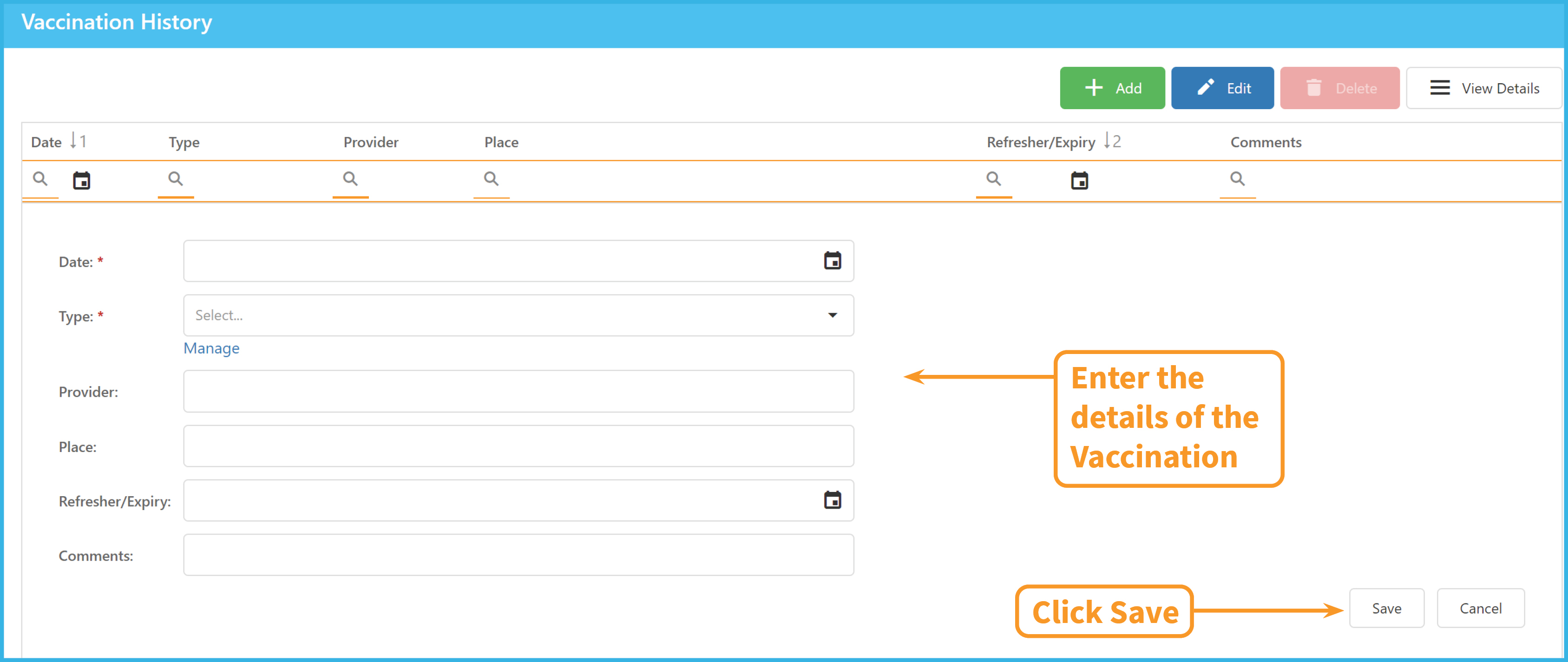
This will bring up a form for entering the details of the vaccination.
Enter the Date, Type of Vaccination e.g Dose 1/Booster, Provider e.g Pfizer, Place the Vaccination was administered, the Date another vaccination is required, and any Comments you would like to make.
Click on 'Save' to add the vaccination history.
You can also highlight a previous entry and click on 'Edit' to make changes. Ensure you also select 'Save' when you have completed the changes.
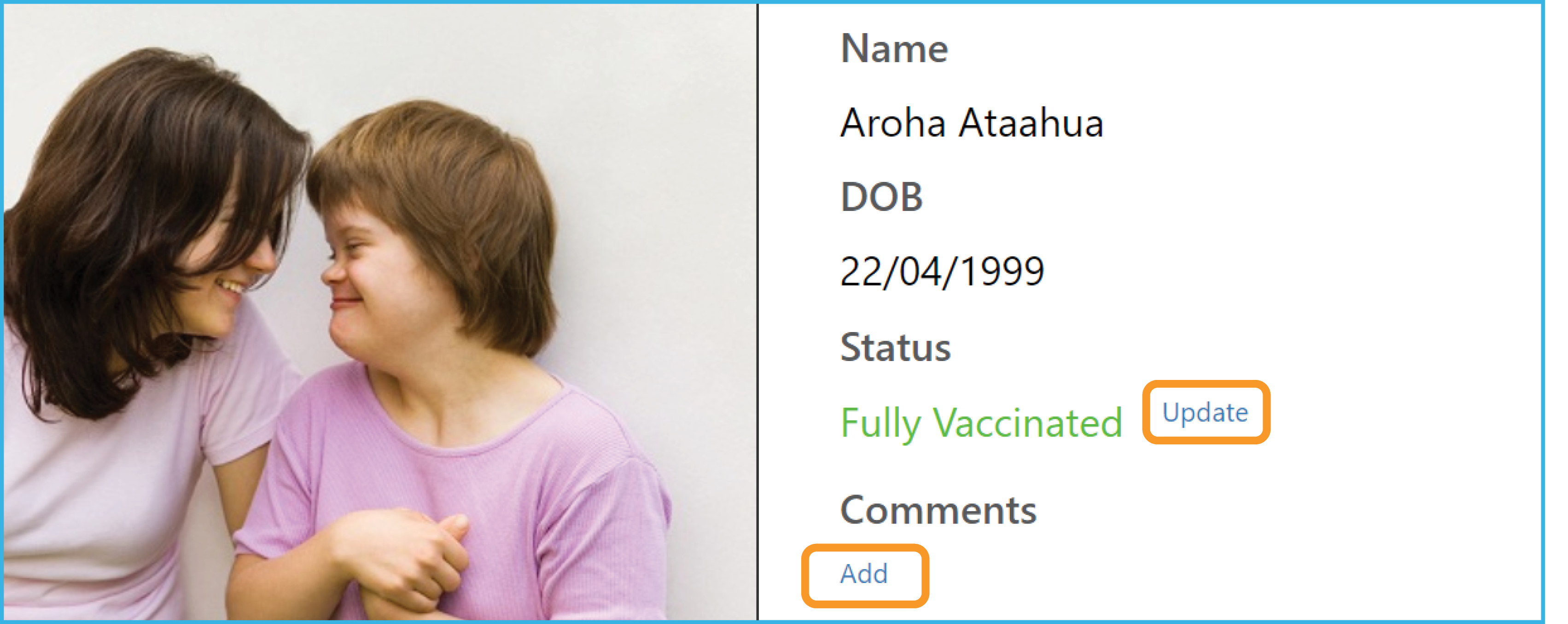
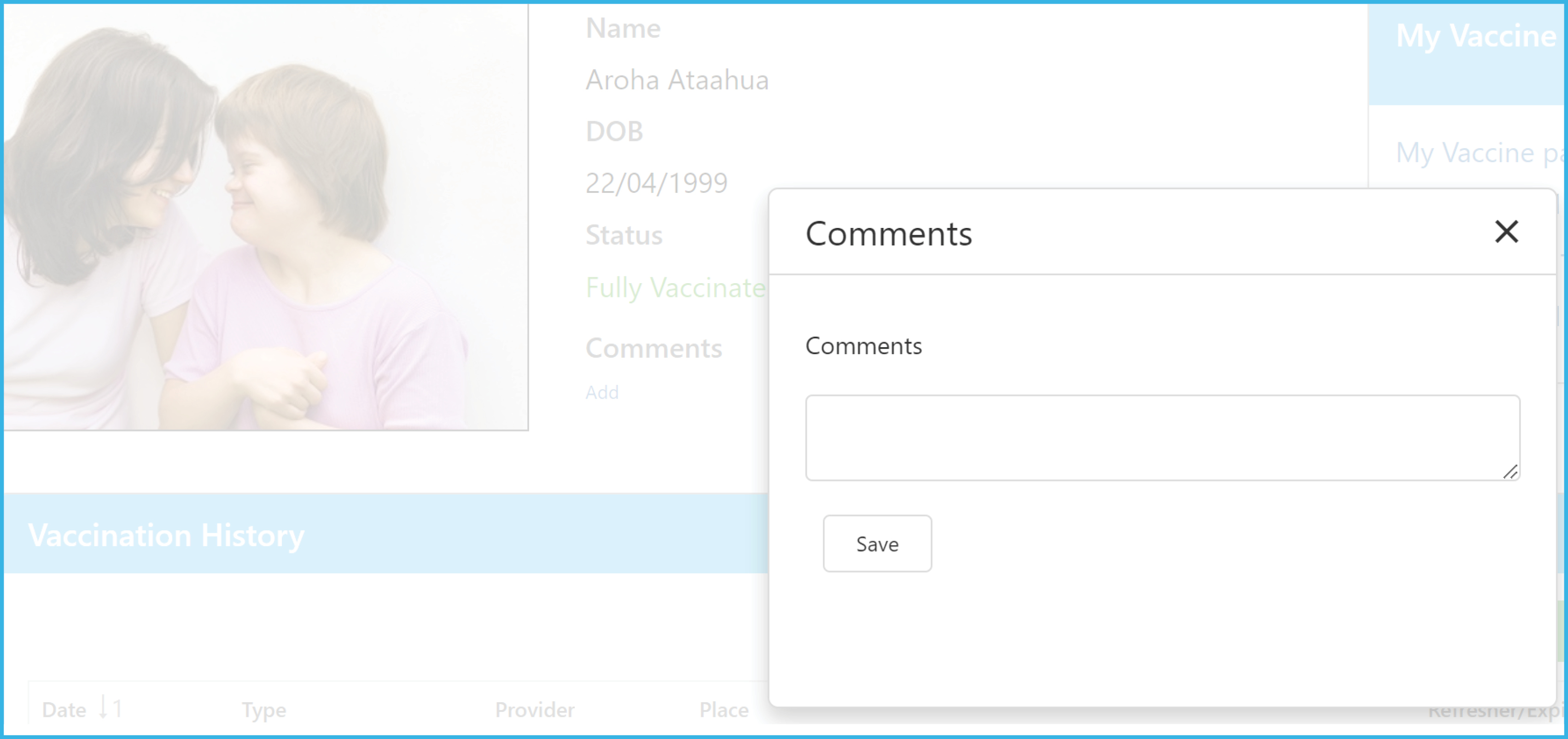
4| Next to the Image of the client is a quick look section to see the vaccination status or any comments associated with the clients vaccinations. Click on 'Update' to change the Status or 'Add' for the comments:
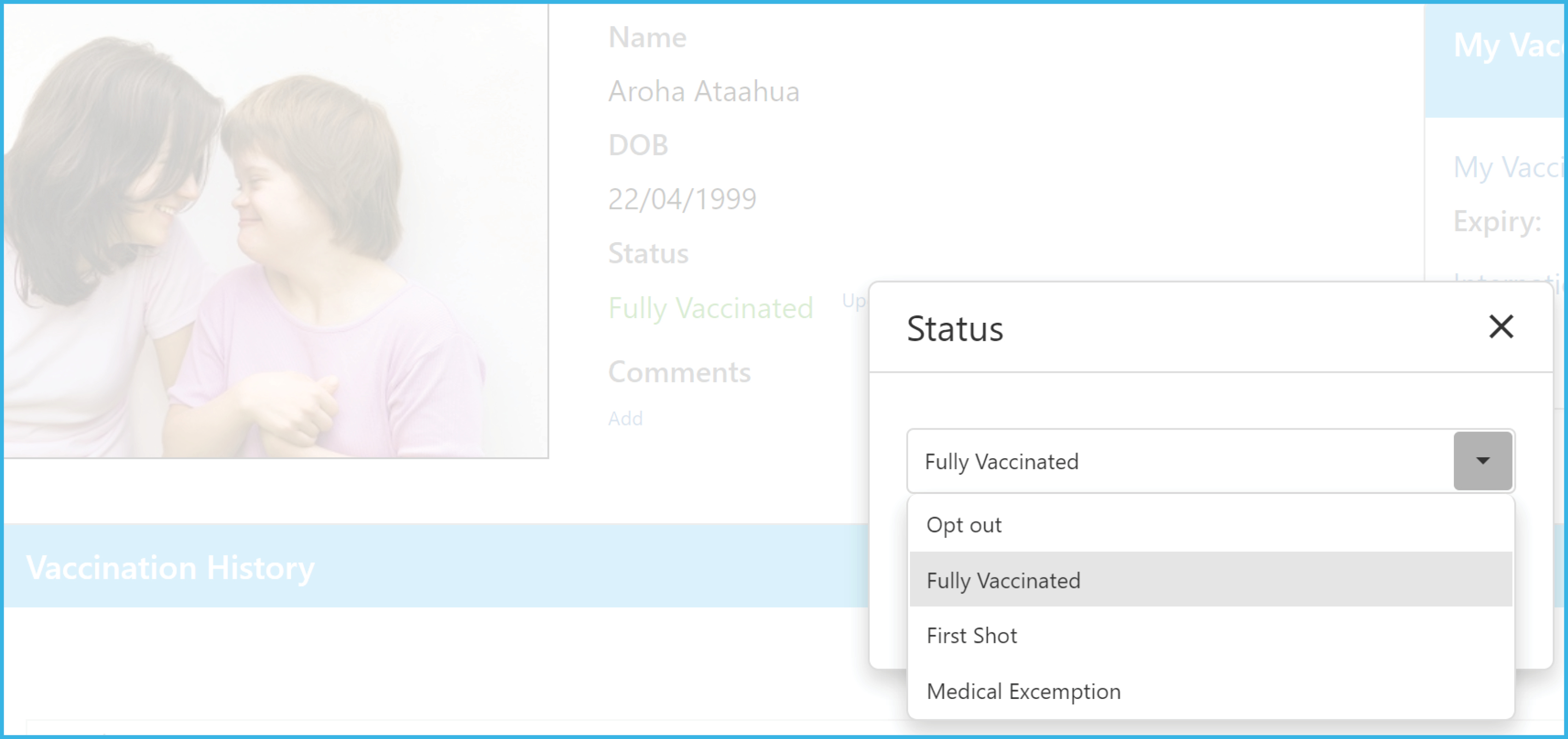
Below is a screenshot of the Vaccination Status, choose a status from the dropdown menu, then click 'Save'.
Below is a screenshot of the Vaccination Comments section, ensure you click on 'Save' after a comment has been added.
5| Once all the relevant information has been loaded, the Vaccination Page is now set up. It will automatically be updated to the Mobile App in read-only format. Any future changes/additions you make will also be updated.