
If you want to set up alerts for any changes then follow the generic alert set up article, but if you want to set up custom alerts, follow this article.
We will use for an example scenario - The CEO wants to be alerted to any serious privacy breaches for someone listed as a child/young person.
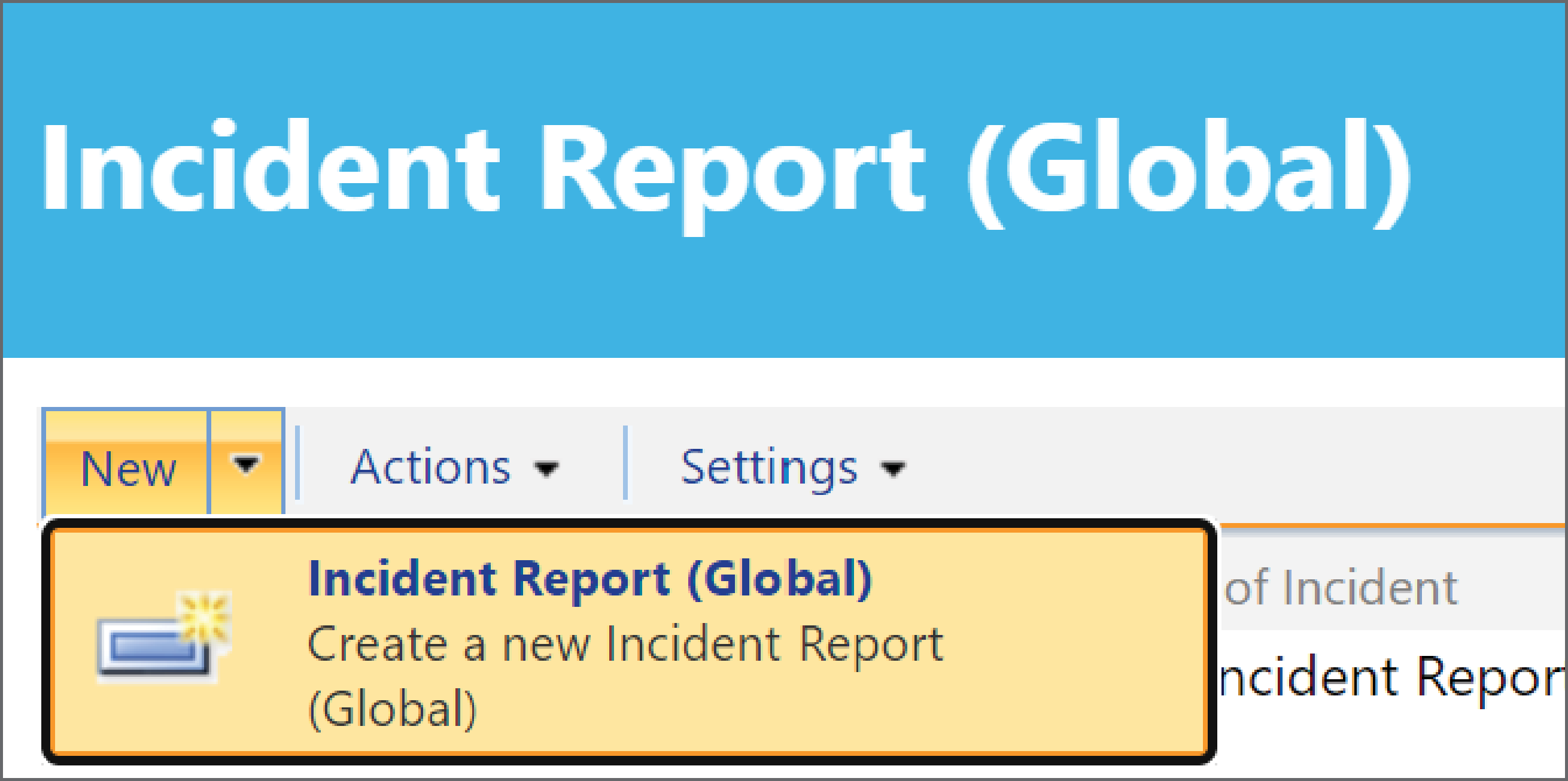
1 - Go to the Incident Report screen.
2 - Create the View for your Incident Alert, learn how to do this here. It is important when setting up the View that you set the filters correctly so the right information is in the Email Alert.

We are going to set a view for Child/Young Person > Privacy Breach (Serious) > Serious to Critical.
You can use the New Incident form as a guide to set the filters: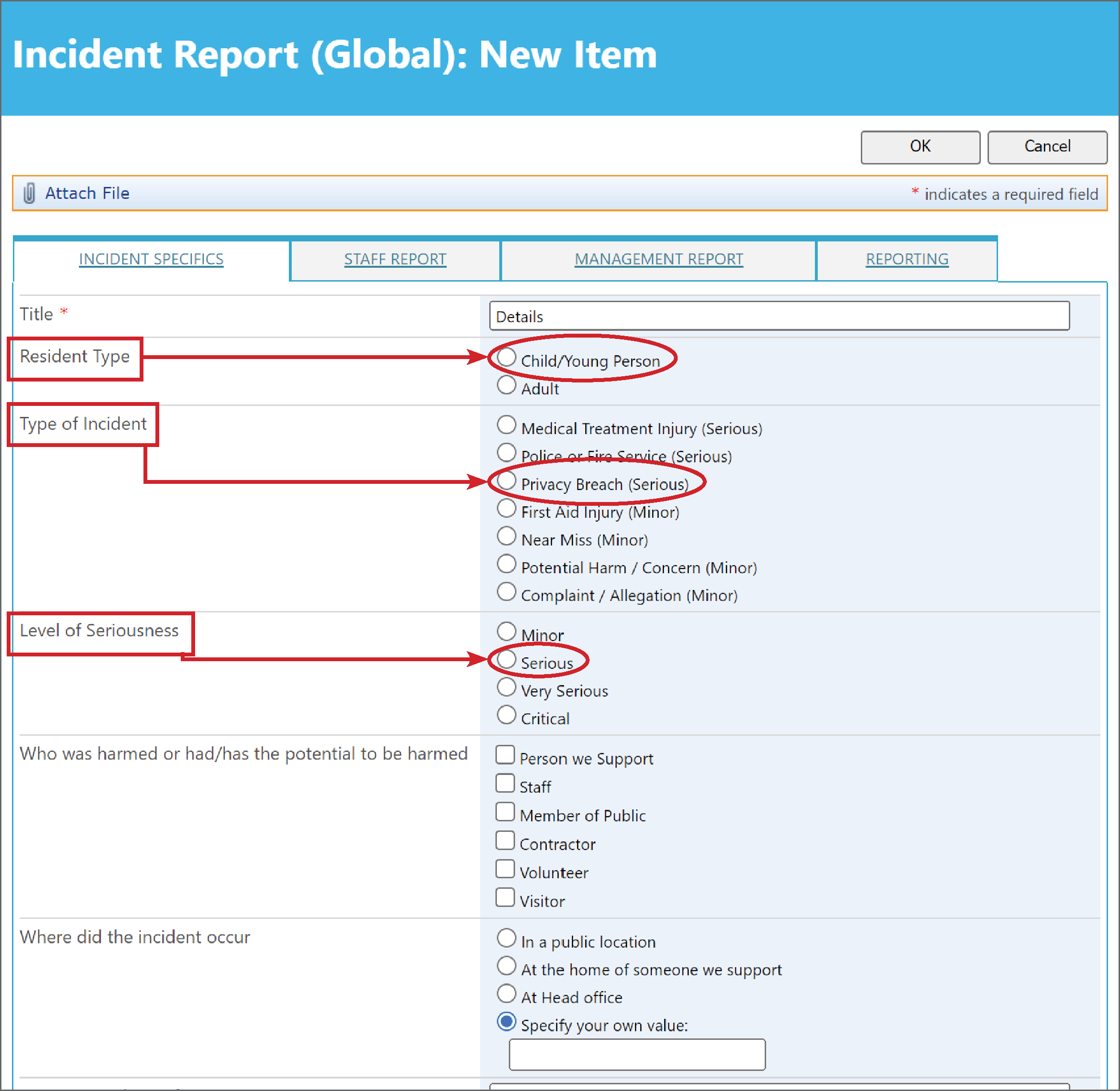
Setting the Filters in the View will look like this: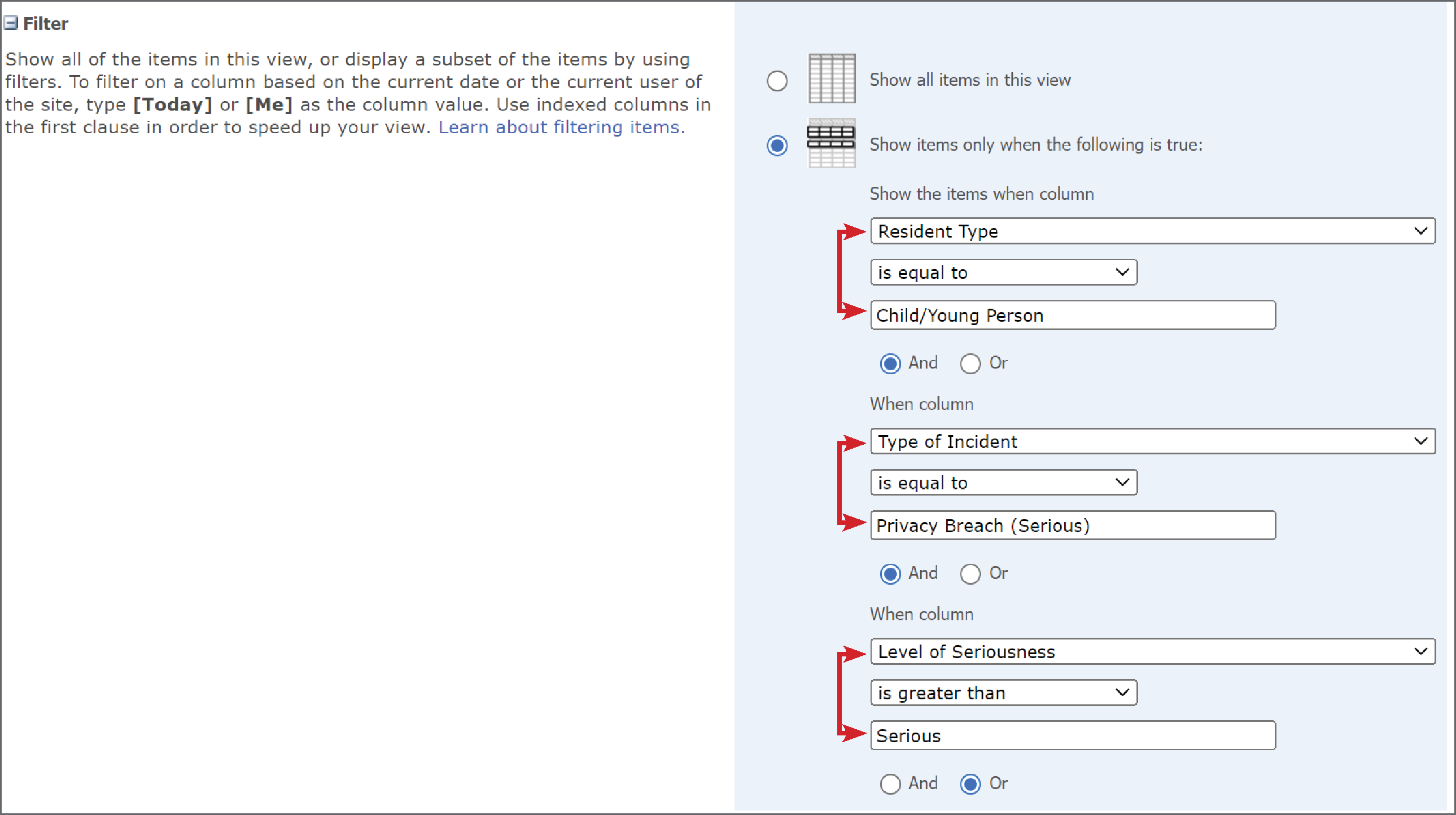
3 - Once the View is created, select it from the drop down list.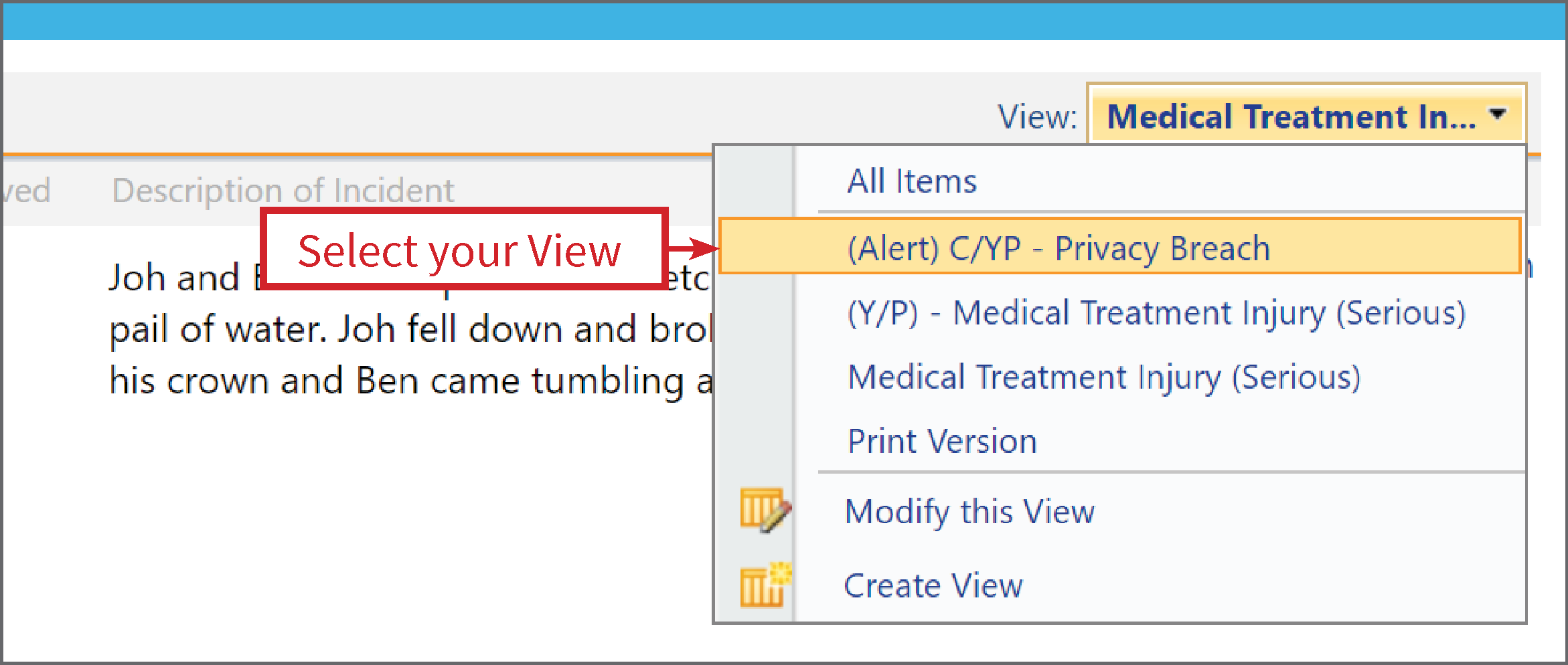
4 - Next select Alert Me from the Actions drop down list.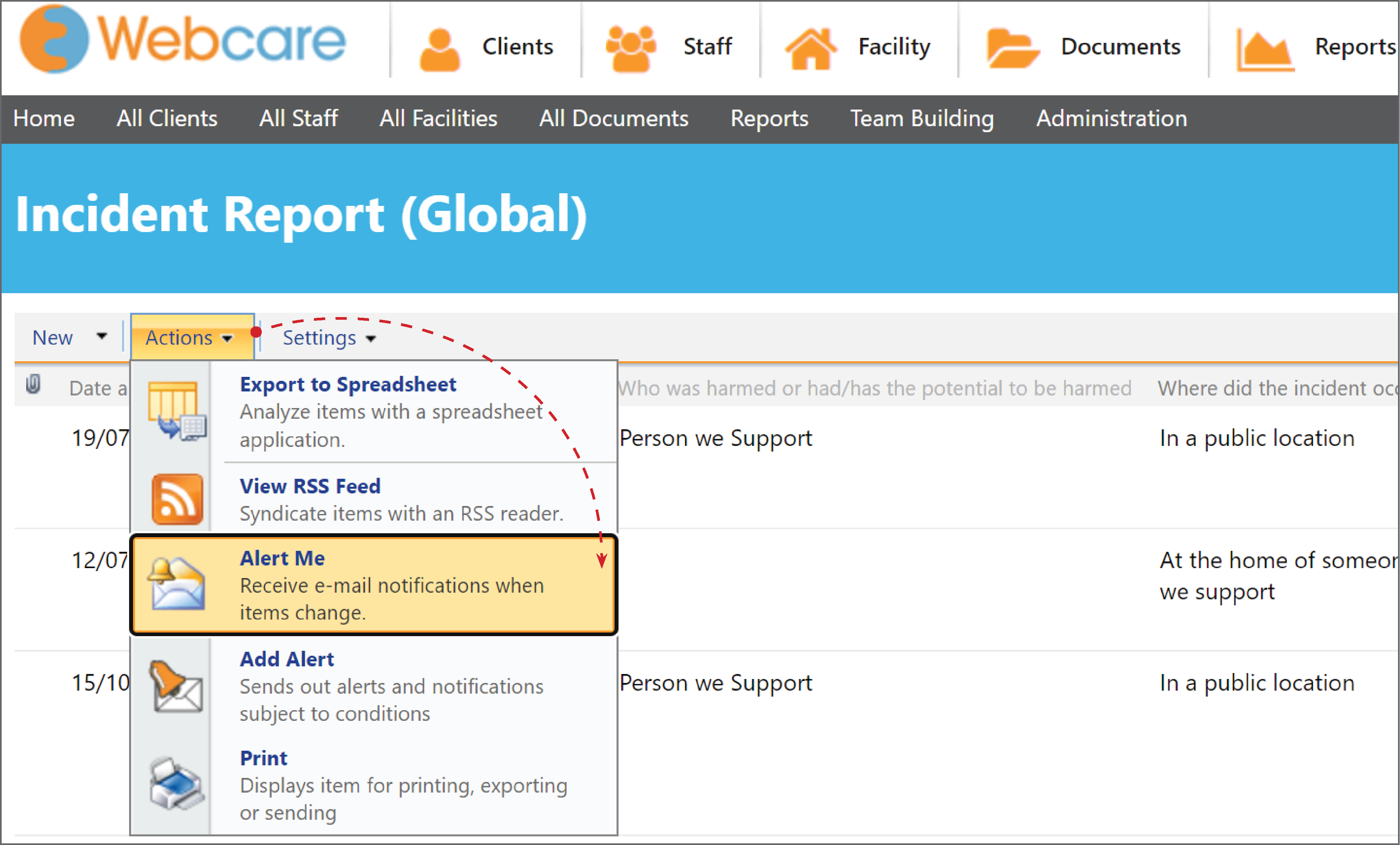
5 - Set up the Alert. Find out how to do that here.
Ensure you select the View you have created.
6 - Click OK and your Alert for the Incident will be finalised.