
This is to set a staff members own access to their personal account and information in Webcare.
To set up permissions for Staff (Own), go to the Manage Permissions screen.
Home > Administration > Security > Permission Manager
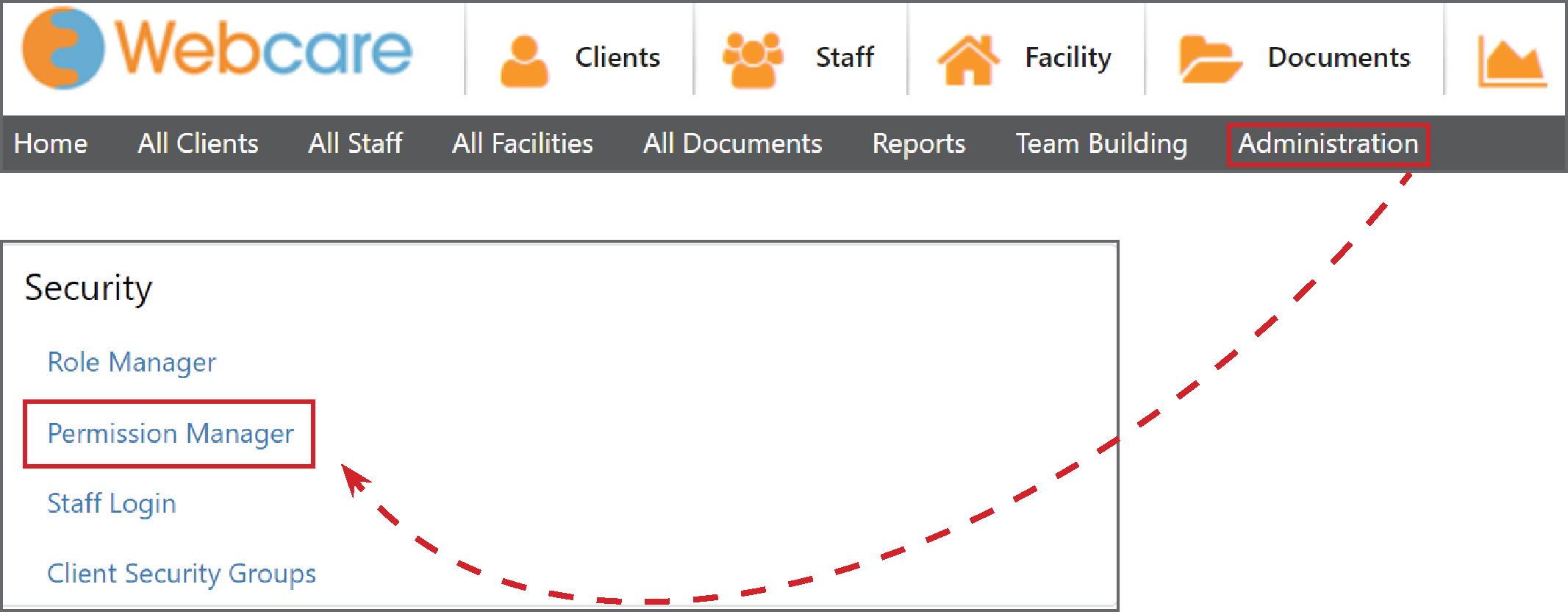
Select the Staff (Own) tab, then select the Role Name.
This allows admin to set up permissions for staff (own) tabs (Personal, Profile, Next of Kin, Employment, Qualification, Payroll, Availability, Schedule, Login, Admin Notes).
The Login* tab has different permissions: Change Role and Reset Password, Reset Password and No Access.
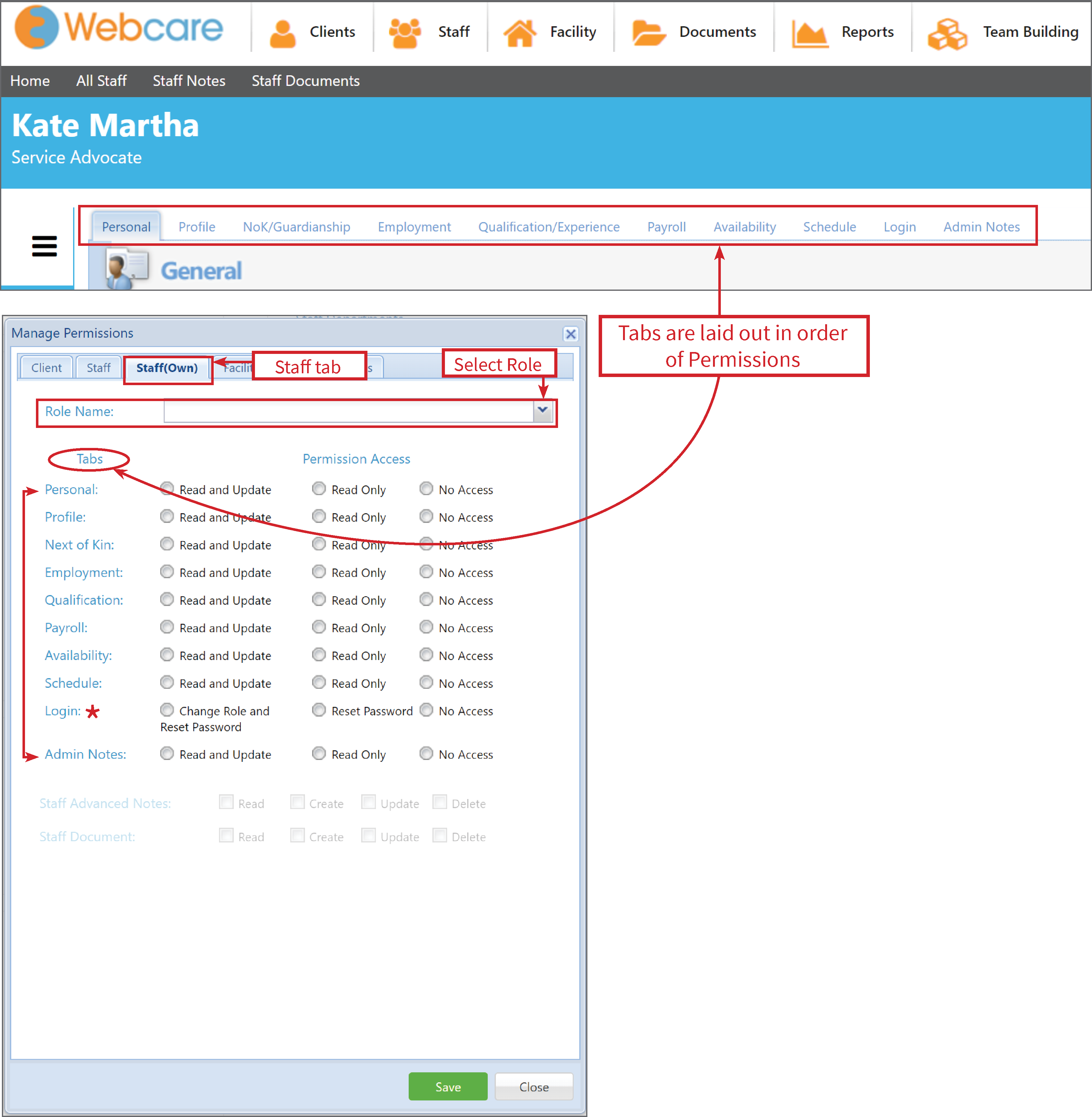
The Permissions are:
Read and Update: Shows the edit button to make changes.
Read Only: Will show the tab in read-only mode. There is no edit button.
No Access: The tab will be hidden.
Change Role and Reset Password: The edit button will be available on the Personal tab.
Reset Password: The edit button will not show, only reset password.