Allows organisations to create custom groups so that selected groups of clients can be accessed by selected groups of staff.
To access Client Security Groups, go to Home > Administration > Security > Client Security Groups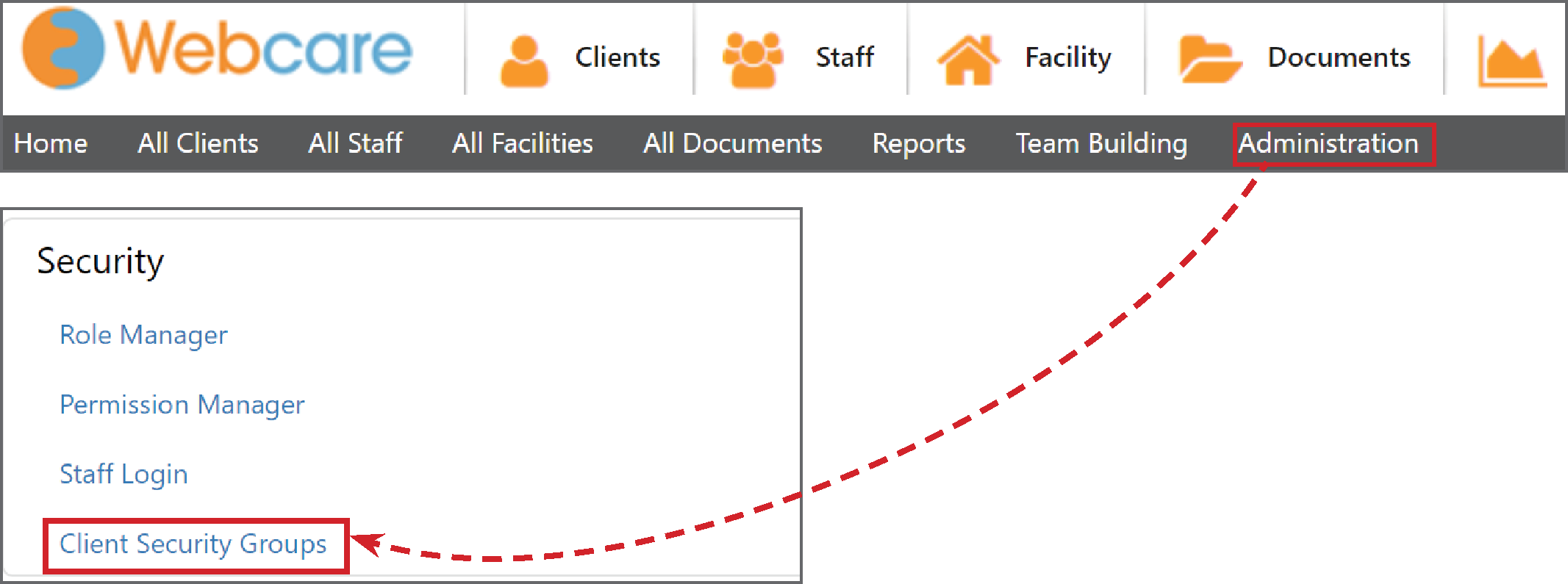
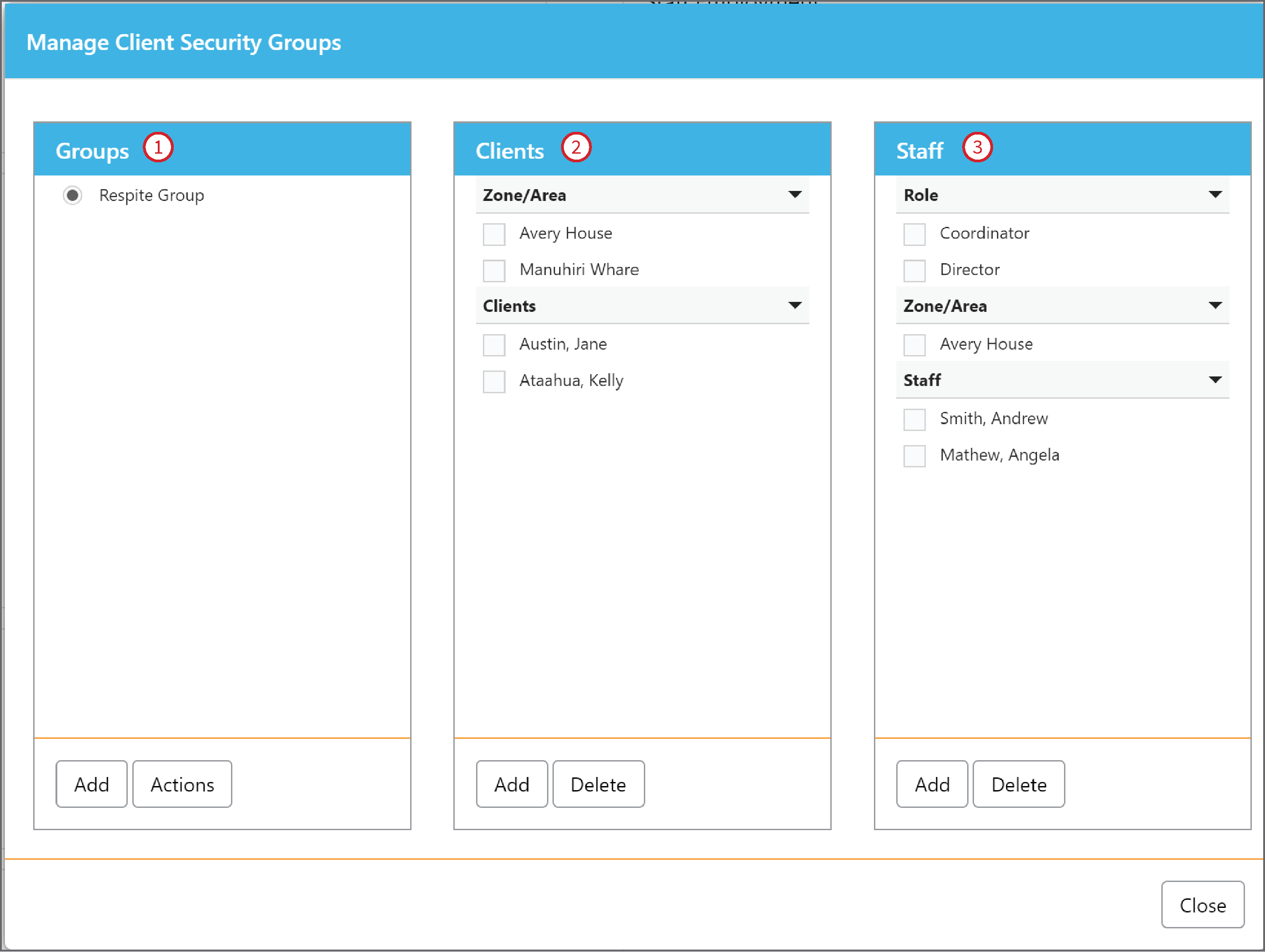
There are three main boxes in Manage Client Security Groups - Groups (1) | Clients (2) | Staff (3)
For instance, if we create a Group (1) called ‘Respite Group’, then:
All the Clients (2) who are in:
- Zone/area: Avery House or Manuhiri Whare; or
- Individual clients: Jane Austin and Kelly Ataahua can be accessed by
All the Staff (3) who are in either:
- Roles: Coordinator or Director; or
- Zone/area: Avery house; or
- Individual staff: Andrew Smith or Angela Mathew
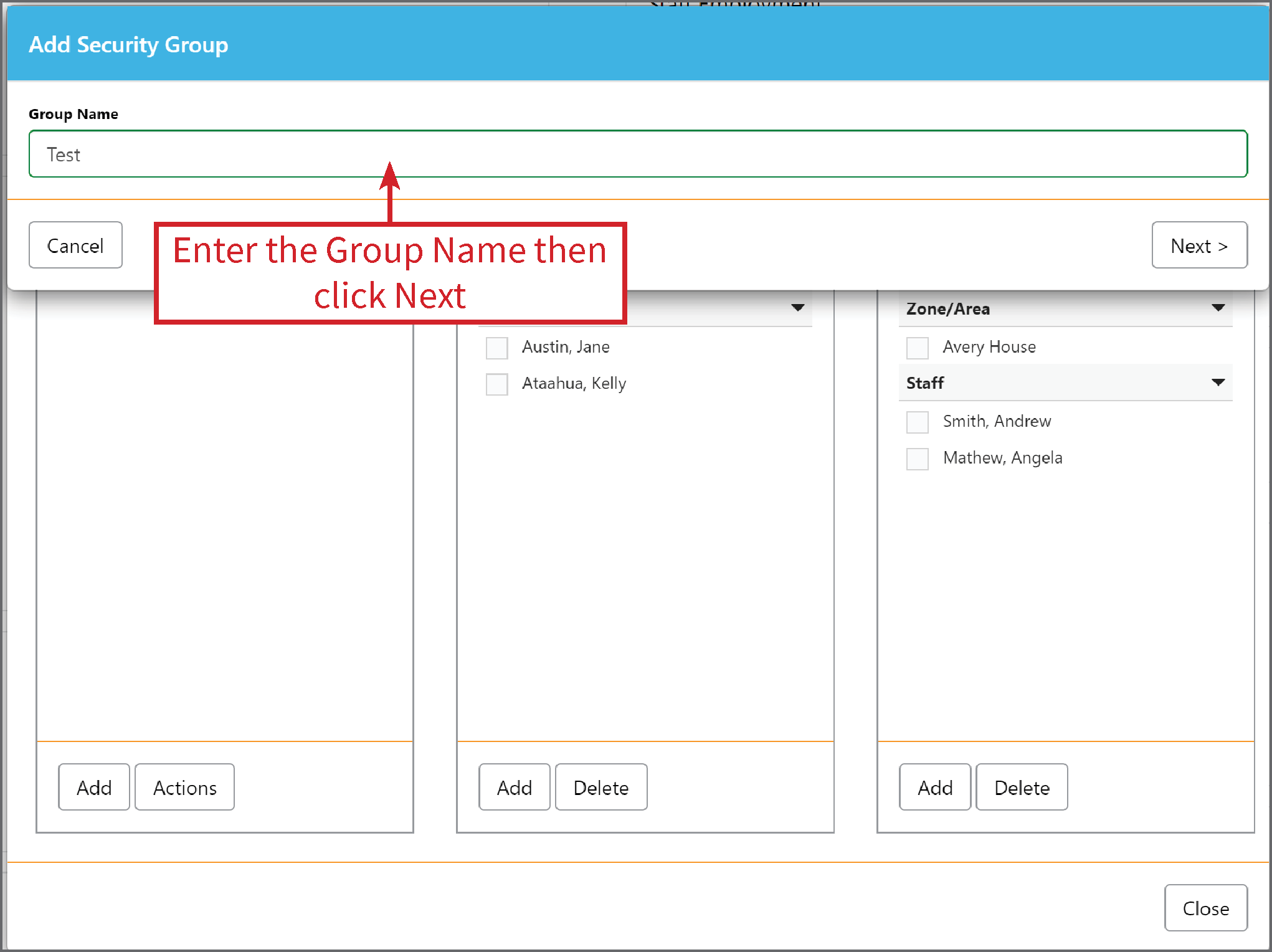
To Add a new Group, select Add and enter the name of the Group:
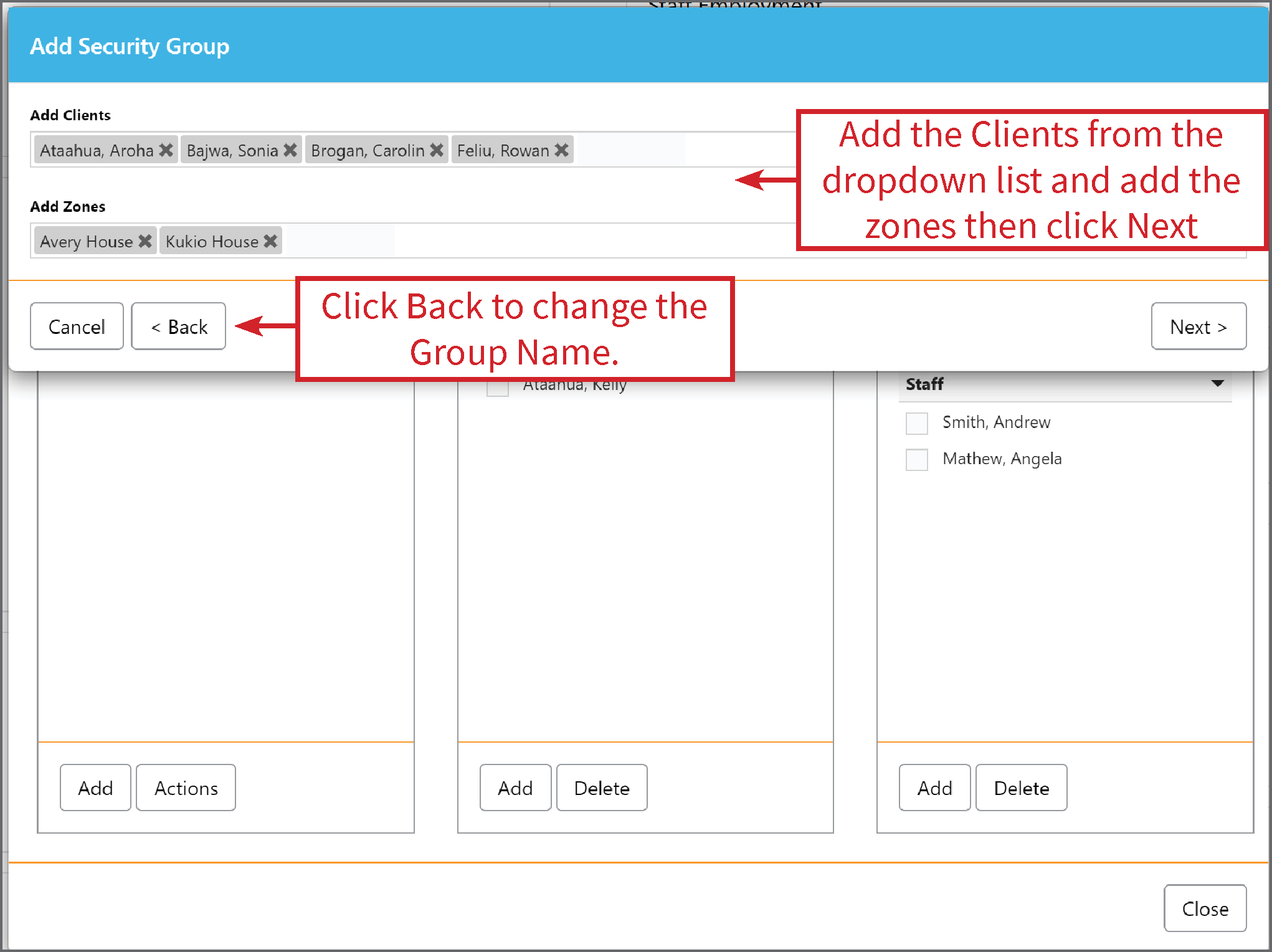
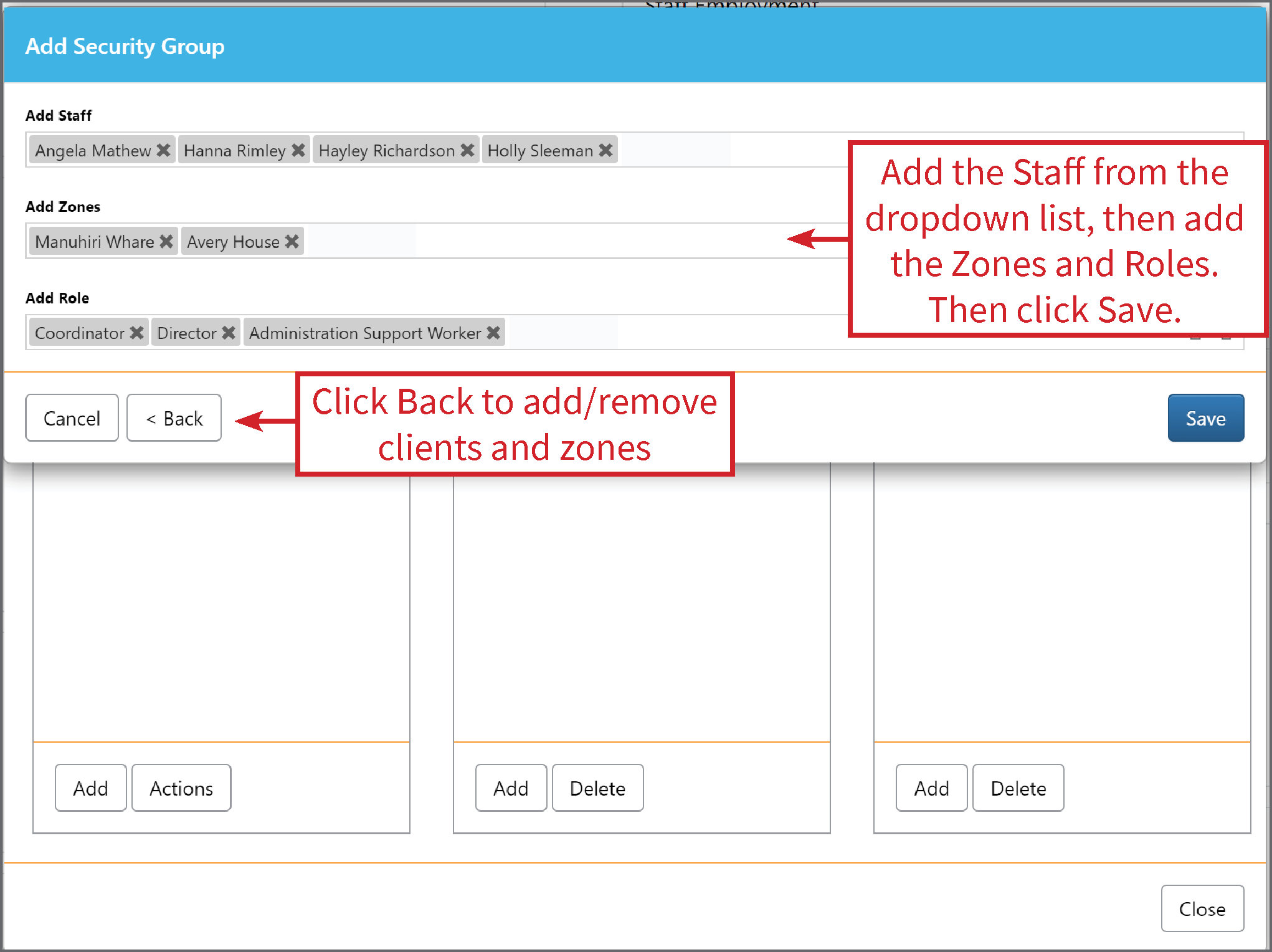
To Delete an option in the Client or Staff box, tick the box next to a Client name, Staff name, Zone or Role and click Delete.
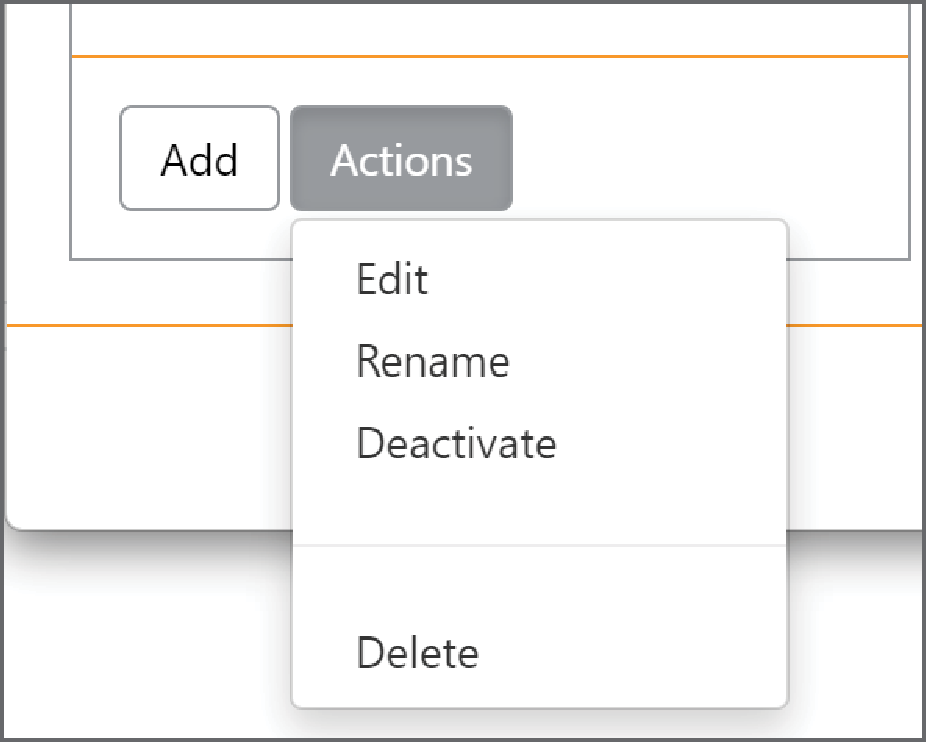
On the Groups box is an option for Actions. Here you can Edit, Rename, Deactivate or Delete the Group.
Please Note: To delete a Group, you first need to delete all Clients, Staff, Zones and Roles from that group.