How to add a staff member from an agency as a contact.
To do this click on Administration (1) on the submenu bar.

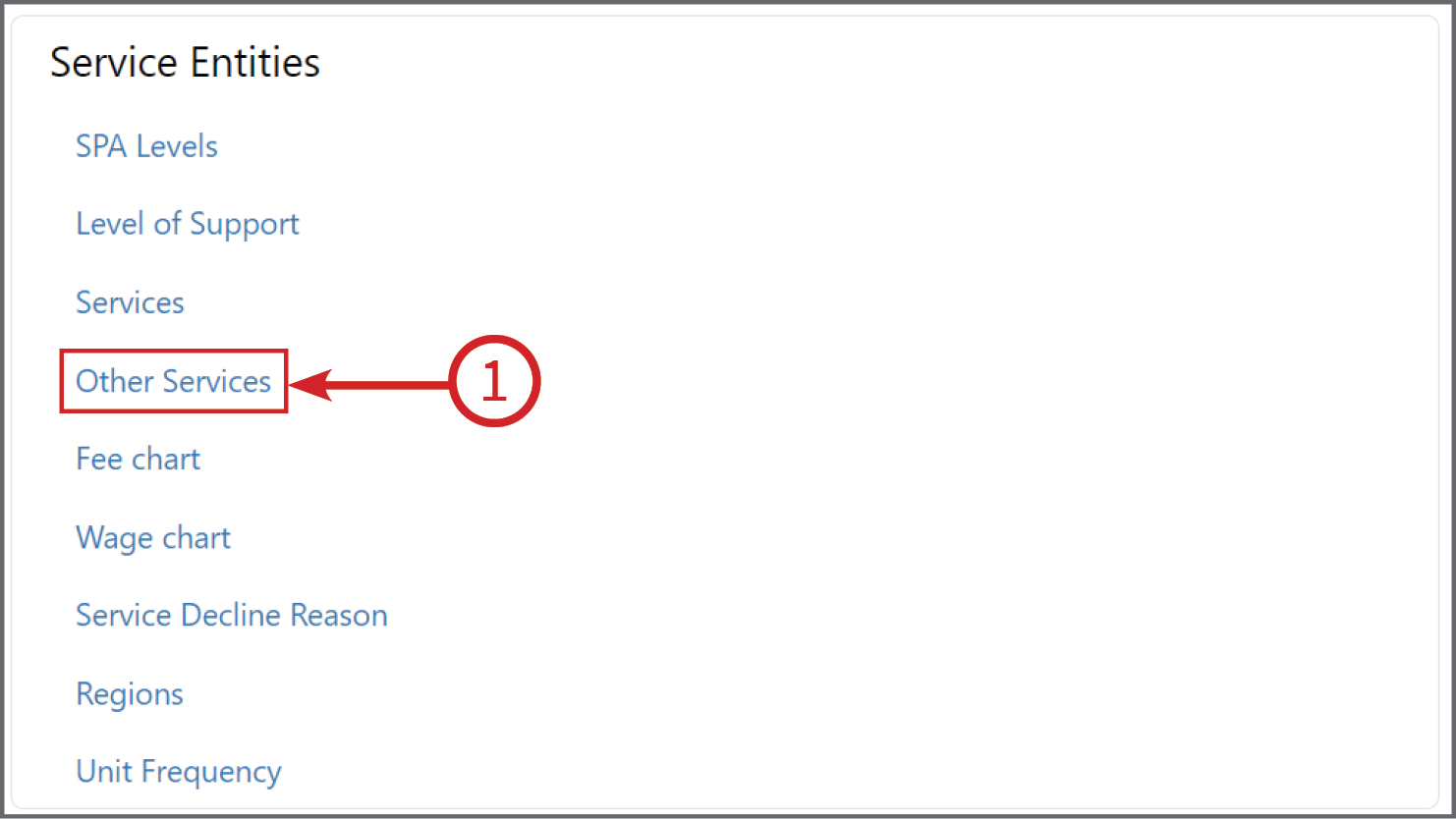
In Administration, scroll down until you get to the box titled Service Entities then click on Other Services (1).
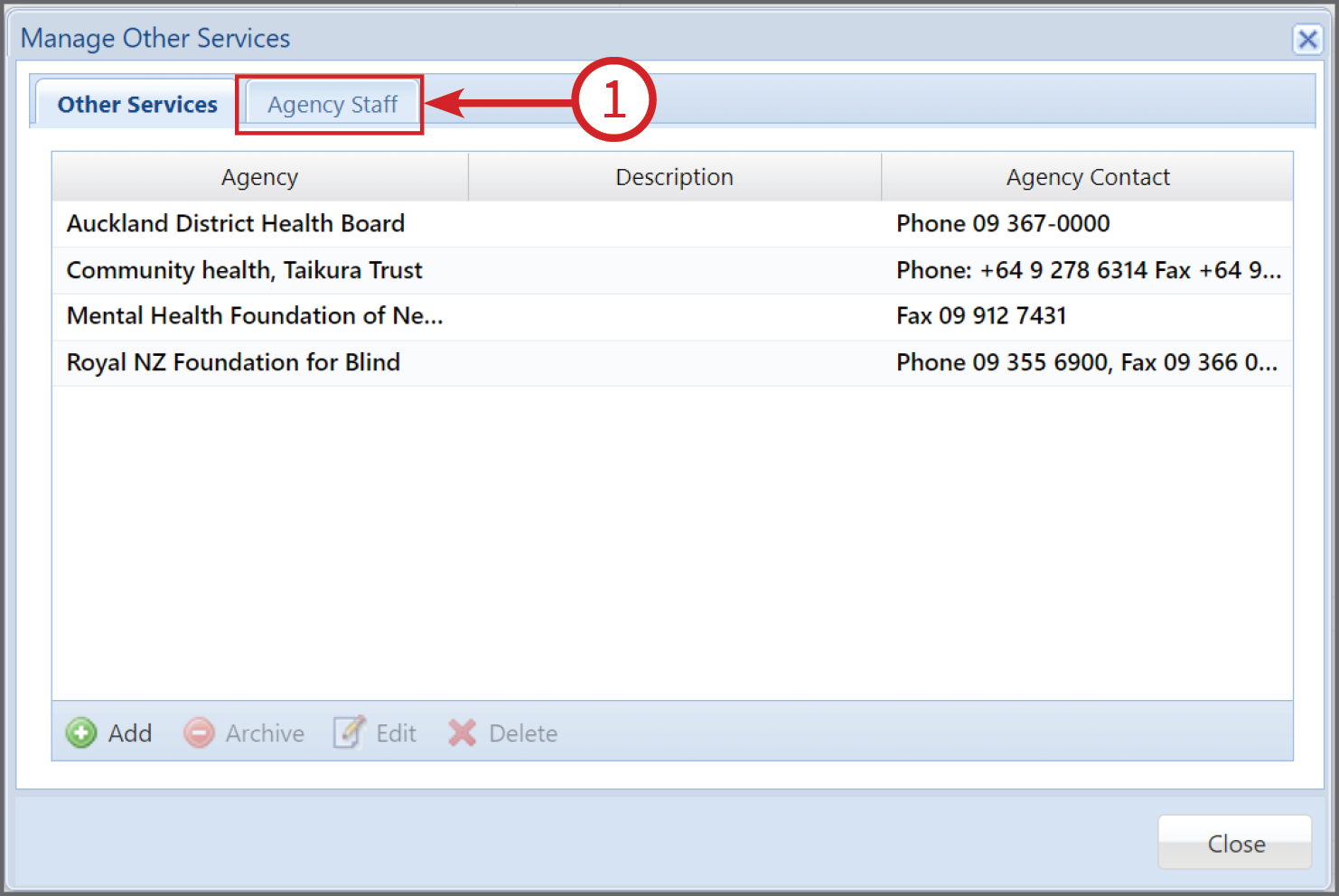
A box called Manage Other Services will pop up. Click on Agency Staff (1) tab.
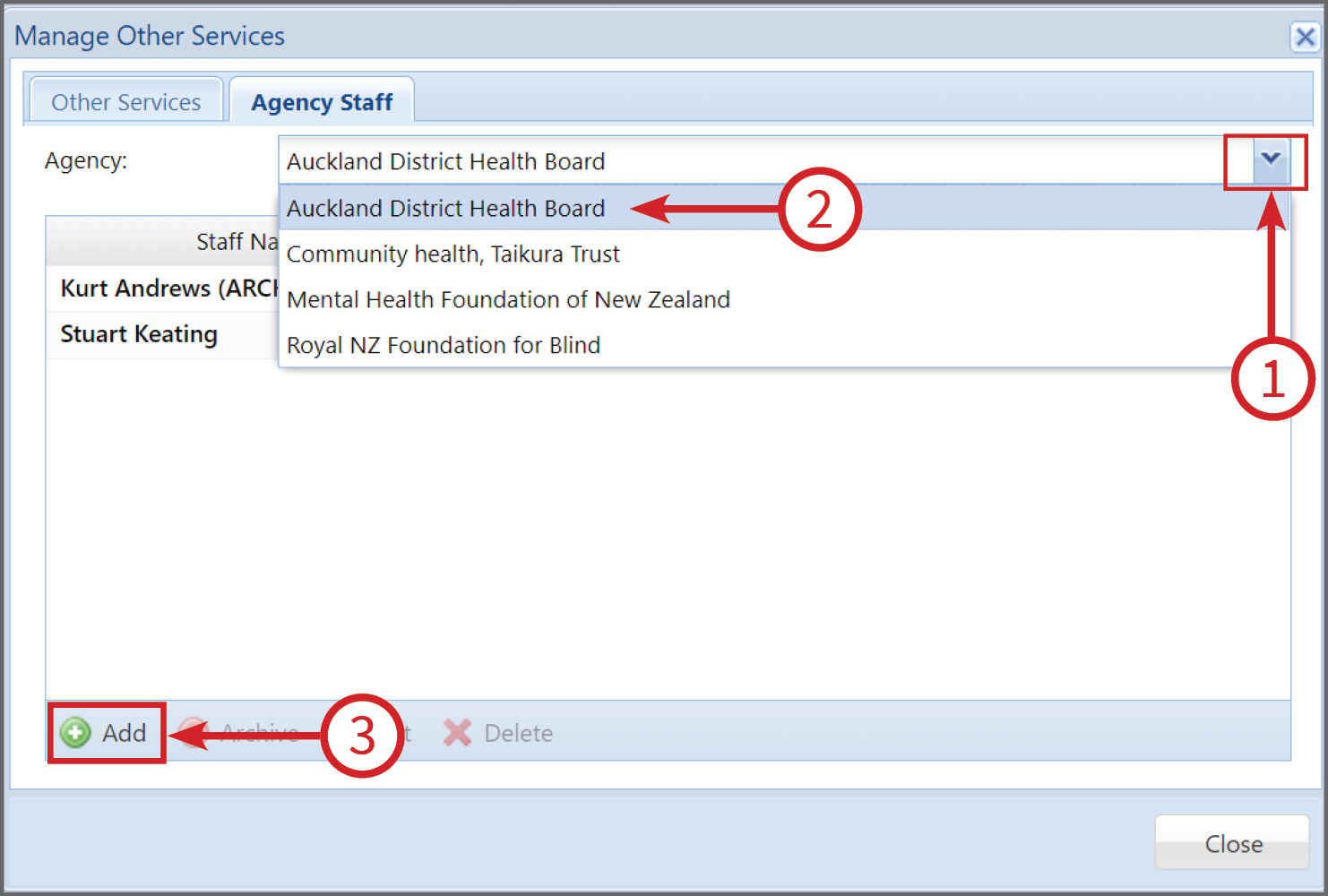
In Agency Staff click on the down arrow (1) and then click on the organisation (2) the staff member works for. The click Add (3).
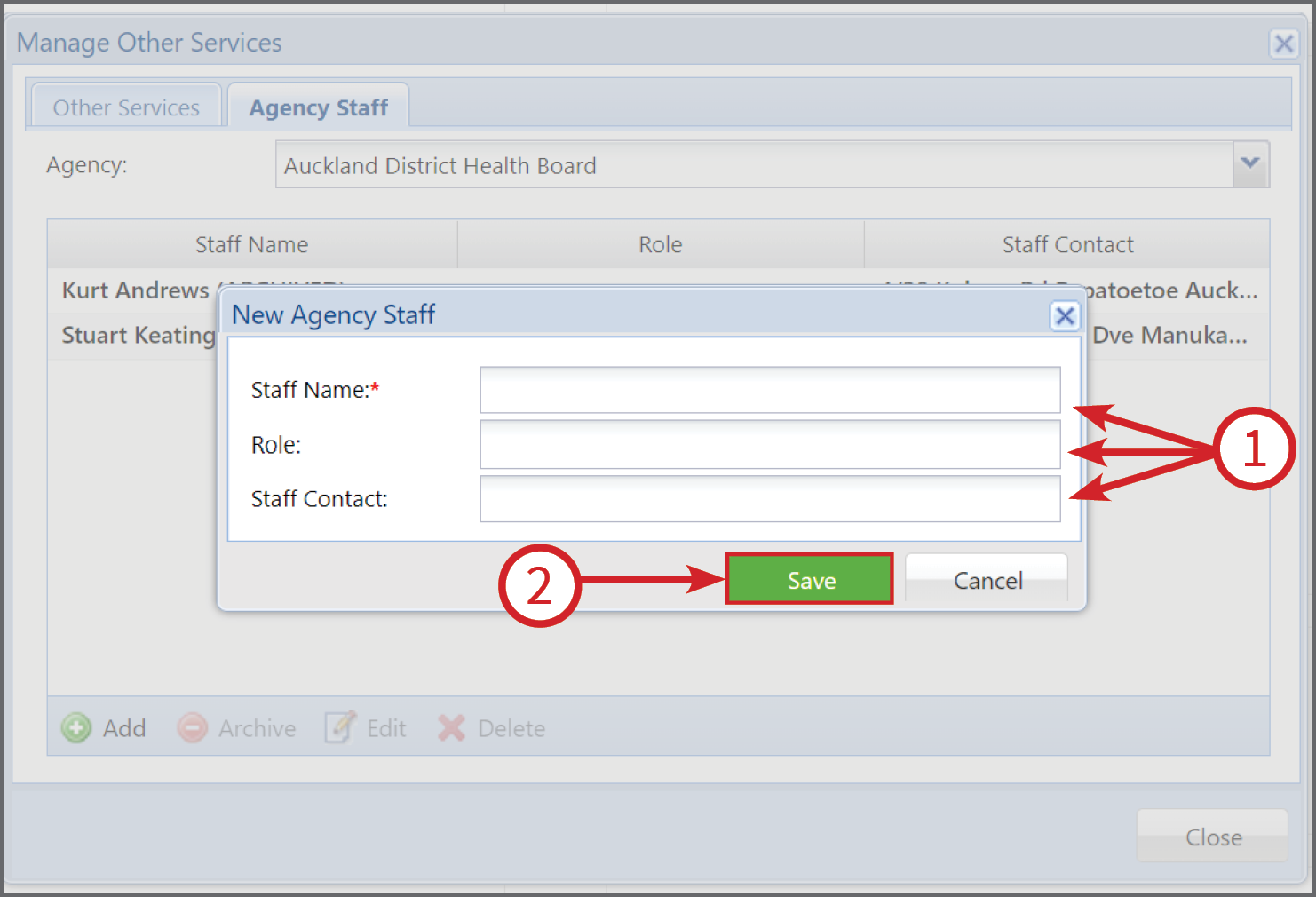
Next, enter the details for the Staff Member (1) and click Save (2).