 |
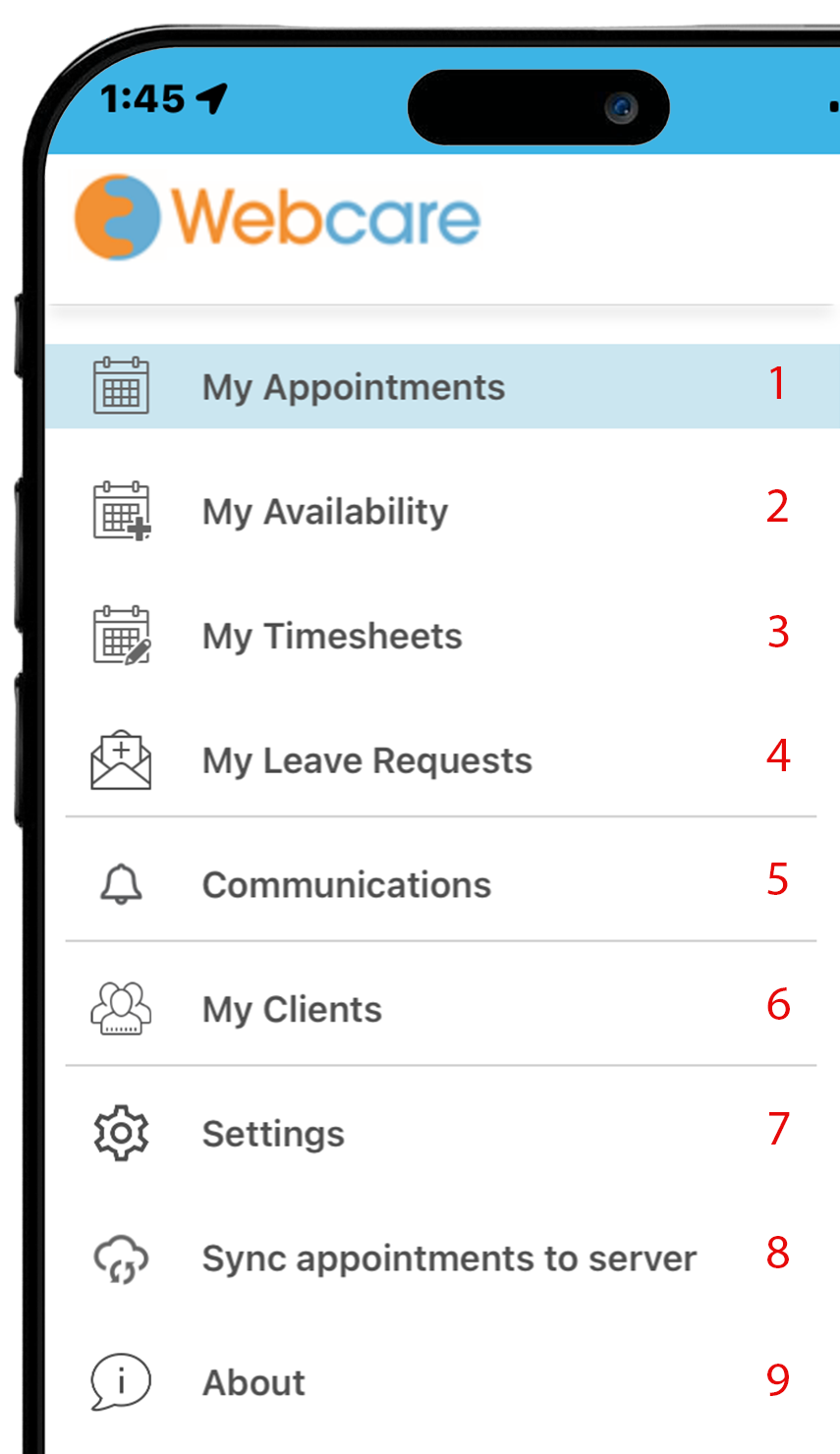
- View your daily appointments
- Add and edit your available hours
- Submit your timesheets for completed hours.
- Submit leave requests
- Send a message to staff or receive notifications
- View client details, including adding progress notes
- Set up your personal profile, change passcode and unlock face ID
- Click to sync your app to the server
- About the app, registration, diagnostics and privacy policies
|
Signing In
To get started, you will need to Sign In for the first time to the mobile app.
You will need your Username, Password and Organisation ID. Please contact your organisation or your local IT admin if you don't have these credentials.
View the article here.
Get to know your App
With the Mobile App, you can:
- View your daily appointments
- Add your availability hours
- Submit your Timesheets
- Settings
- Sync appointments
- Add Progress Notes
