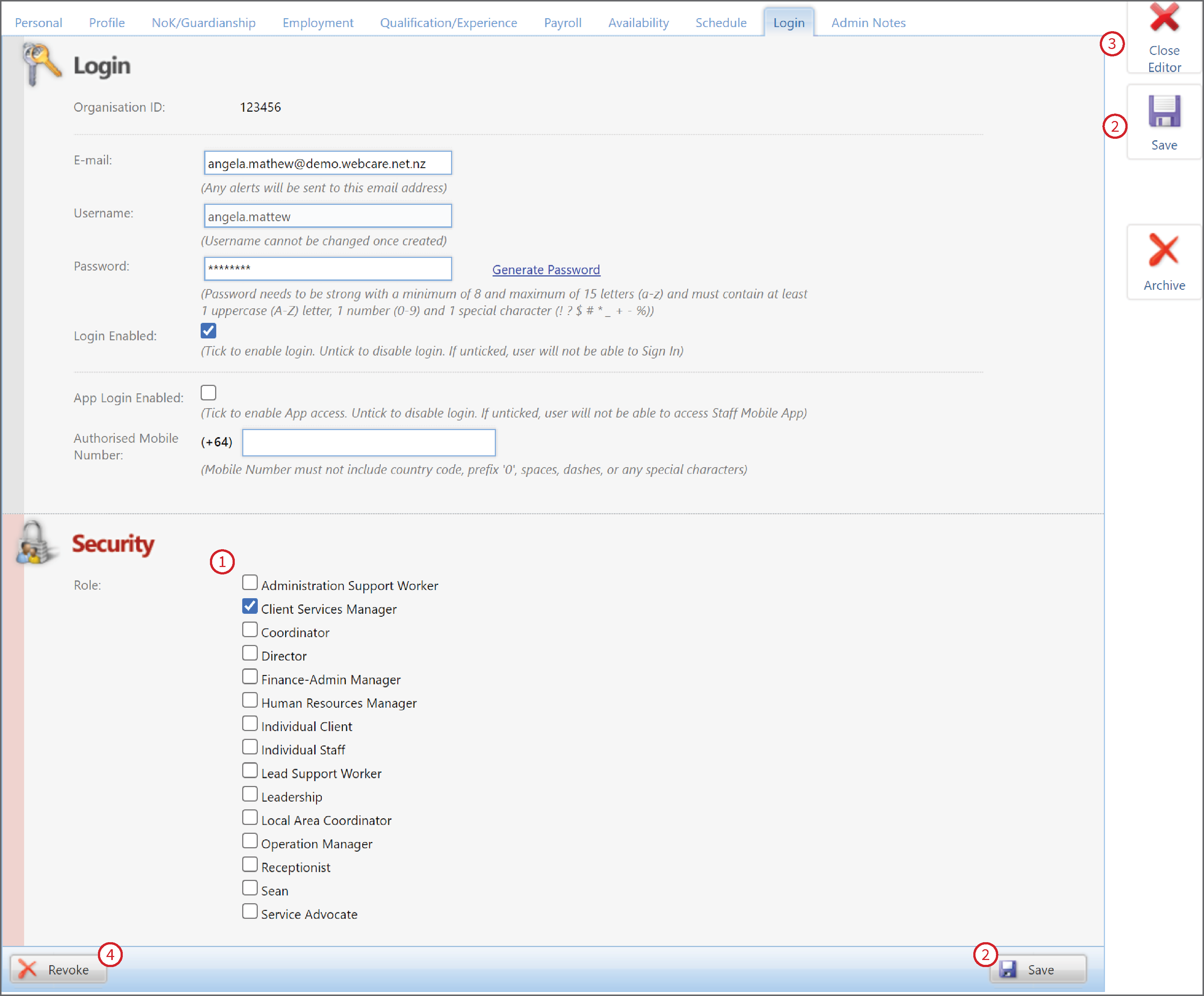
A staff member can be assigned to multiple roles. If a staff member is assigned to conflicting roles then the higher role takes precedence.
For instance, if a staff member is assigned to the Service Advocate role which has Read-only access, and the Operation Manager role which has Read, Create, Update, and Delete permissions, then that staff member can read, create, update, and delete the files.
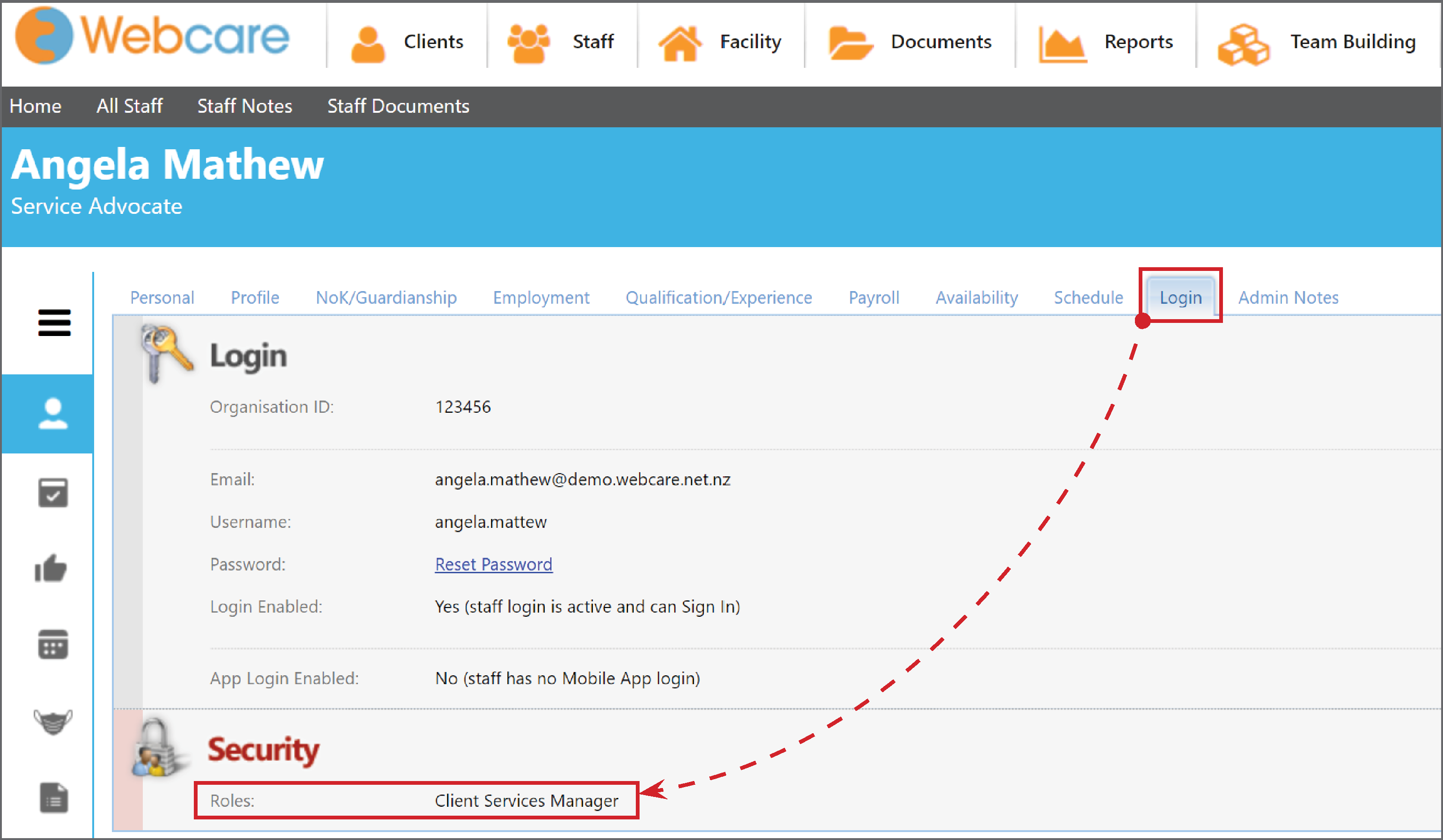
To view a Staff members role, click on the Login tab on their profile.
(Staff > Staff members name > Login tab)
You can see from this tab you are also able to reset the password, the username once added is read only.
To Add, Edit or Revoke a role from a staff member. Click on Edit (1)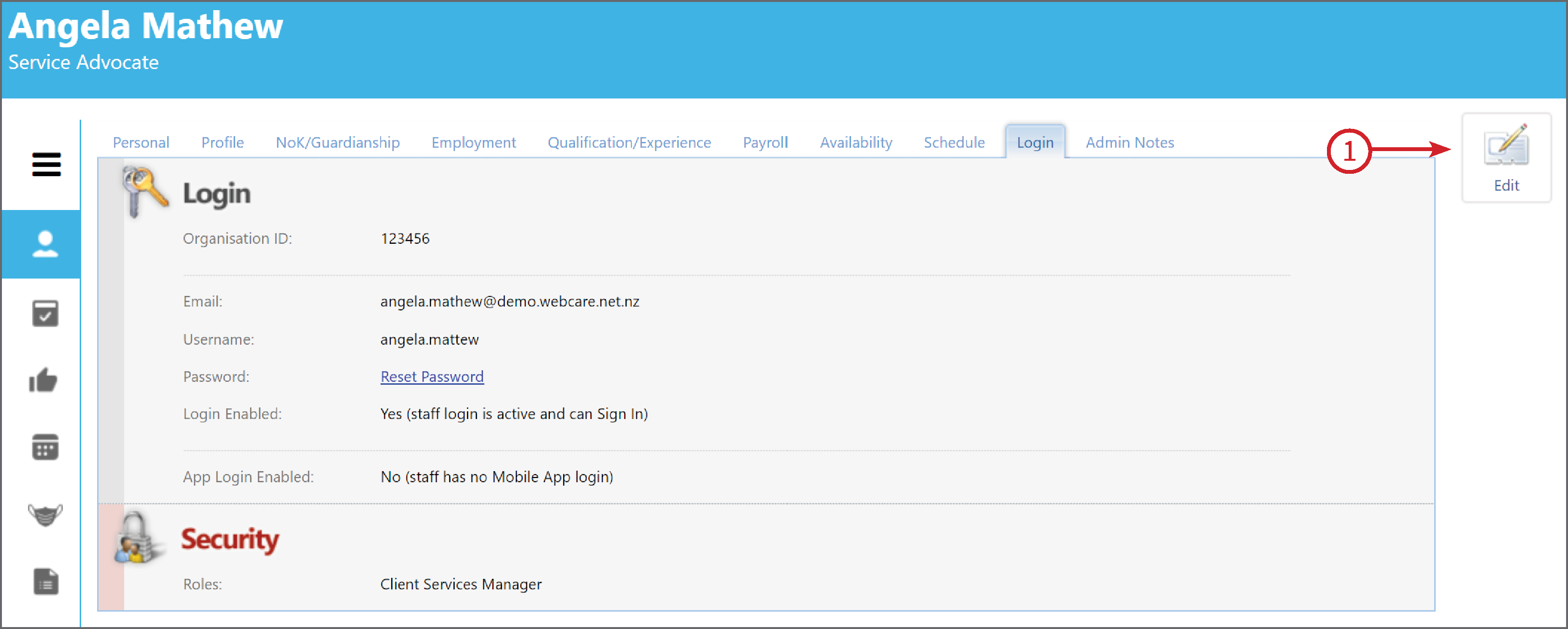
This will put the screen into Editor mode.
Select the Role (1), Save (2), Close Editor (3) or Revoke (4) this will remove all access for this staff member.
If the Role you require is not listed, you will need to enter it into the Role Manager as per the steps here.